You do not have to promote a product on every channel at once. Pick the two channels where customers already message you, make one set of images and one video a week, resize them for each channel, post them free first, and put ad money only on the post that got the most chats. The free tools have limits that the platforms' own pages state. For example, the LINE OA free package can broadcast 300 messages a month, counted by the number of people who receive each broadcast (one broadcast to 300 followers uses the whole month), and Shopee's free promote feature covers 5 products at a time, 4 hours each (read 30 Sep 2026). This page has a channel table, a weekly table you can use as it is, the steps to boost a post in Meta Business Suite, and example images and a video made with GenLabs.
Pick your first two channels: what each channel is for
Pick your first two channels with one question: where do customers already message your shop? Open the shop's latest chats and see where customers saw the product, then start there. For the second channel, pick one where people who do not know your shop can still see the product, such as TikTok or the Shopee search page. If you have no customers yet, start where you sell the product now.
| Channel | What it is for | Images and video you need | Starting rhythm per week (our example) |
|---|---|---|---|
| Facebook Page | Followers of the Page see the new product and the week's promotion | 4:5 image and a 9:16 vertical clip | 2 image posts and 1 Reels post (the same clip as TikTok) |
| A profile grid of your product pictures | 4:5 image and 9:16 Reels | 1 image post and 1 Reels post | |
| TikTok | Short vertical clips that show the product in use | 9:16 clip | 1 clip |
| LINE OA | Broadcast messages (one message to everyone who has added the shop as a friend) | Square 1040 × 1040 image for a rich message (a large-picture message) | 1 broadcast |
| Shopee | People who search in the app find your product | Product image 1:1 or 3:4, whole product visible, up to 9 images in all | 1 round of "Promote product" |
| Lazada | Set a coupon or promotion so visitors to your product see an offer | Product image 330 × 330 to 5000 × 5000 pixels, up to 3 MB | 1 coupon or promotion |
If you searched for "promote a product on Facebook" or "promote a product on TikTok", the answer is in the Facebook Page row and the TikTok row of this table. The steps for paying are in section 4. If your shop has a physical storefront you can use the same table, but this page does not cover maps or local search (see section 6).
We did not measure which channel works for your product. Judge it by the number of chats each post gets, as in section 4. The sizes and file limits each platform accepts are in product image sizes for each platform, 2026. The rhythm in the last column is an example we chose, not a test result.
Make one set of images and one video a week, then resize it for each channel
One set a week is one product with one fact about it (a flavour, a material, a size or a colour), made into the four pieces below and used on every channel. You think once a week, not every day. Pick the fact you answer most often in chat.
| Piece | Ratio | Where it goes |
|---|---|---|
| A whole-product image on a clean background | 1:1 | The Shopee product page and a LINE OA rich message (1040 × 1040). For Lazada product images use the size range in the section 1 table |
| A post image with a scene around the product | 4:5 | Facebook and Instagram posts |
| A 10-15 second video | 9:16 | Facebook and Instagram Reels, TikTok |
| A three-line caption | none | Under every post |
The ratios come from each platform's official pages, as collected in the image sizes article linked in section 1. 4:5 is the ratio Meta recommends for single-image ads in Feed (Meta gives no ratio for photo posts on a Page), so it also fits when you later boost the post.
Write the caption in three lines with the Scene-Item-Message formula (ฉาก-ของ-ทัก in Thai). The scene is a moment the buyer knows that follows from what the picture shows. The item is one fact about the product. The message is one next step. Examples and a way to check them are in sales captions that match the photo and the product.
If you do not have a photo that shows the whole product yet, see how to take product photos with your phone: a 7-point checklist. If the background is messy, you can remove the background from a product photo for free, with no signup. Change the ratio with the image resizer, also free with no signup.
Where the ad images and video come from: shoot them, fix the photos you have, or make them in GenLabs
There are three ways, and all three start with one photo that shows the whole product, which a phone can take. Way one: shoot it yourself with the checklist in the product photo article. Way two: fix the photos you have with GenLabs's free tools (remove the background, resize). Way three: make ad images and a video in GenLabs.
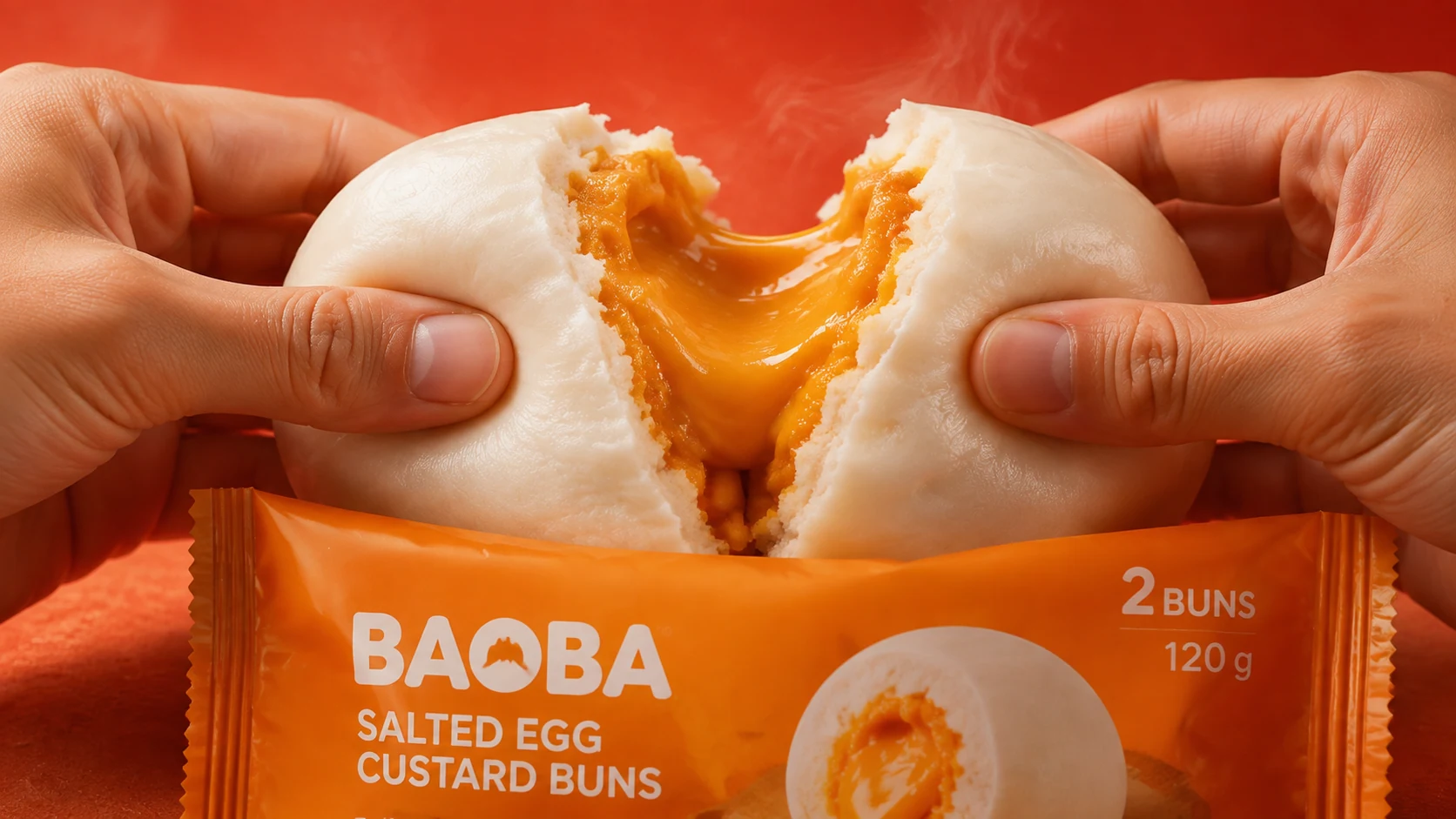
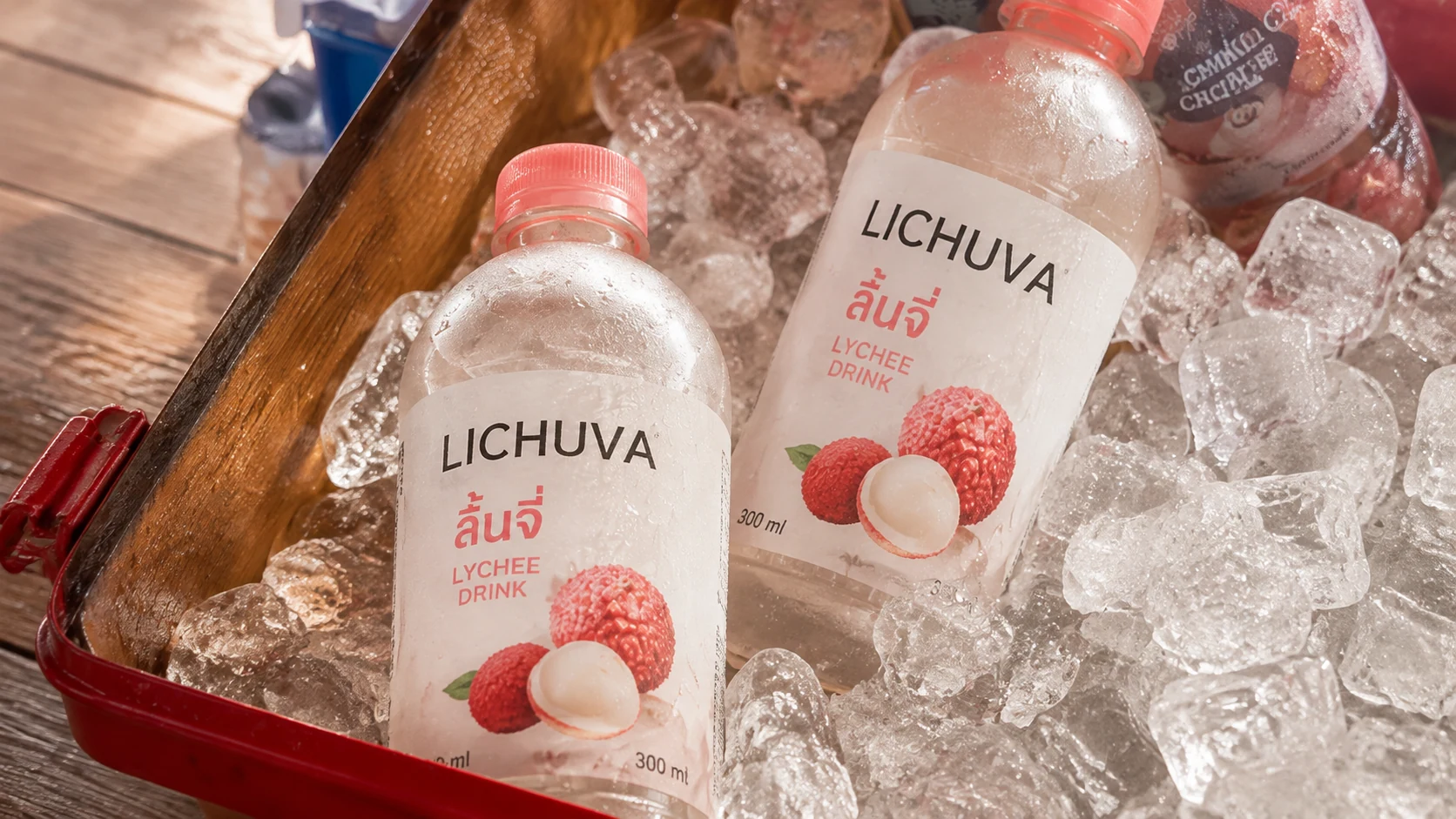
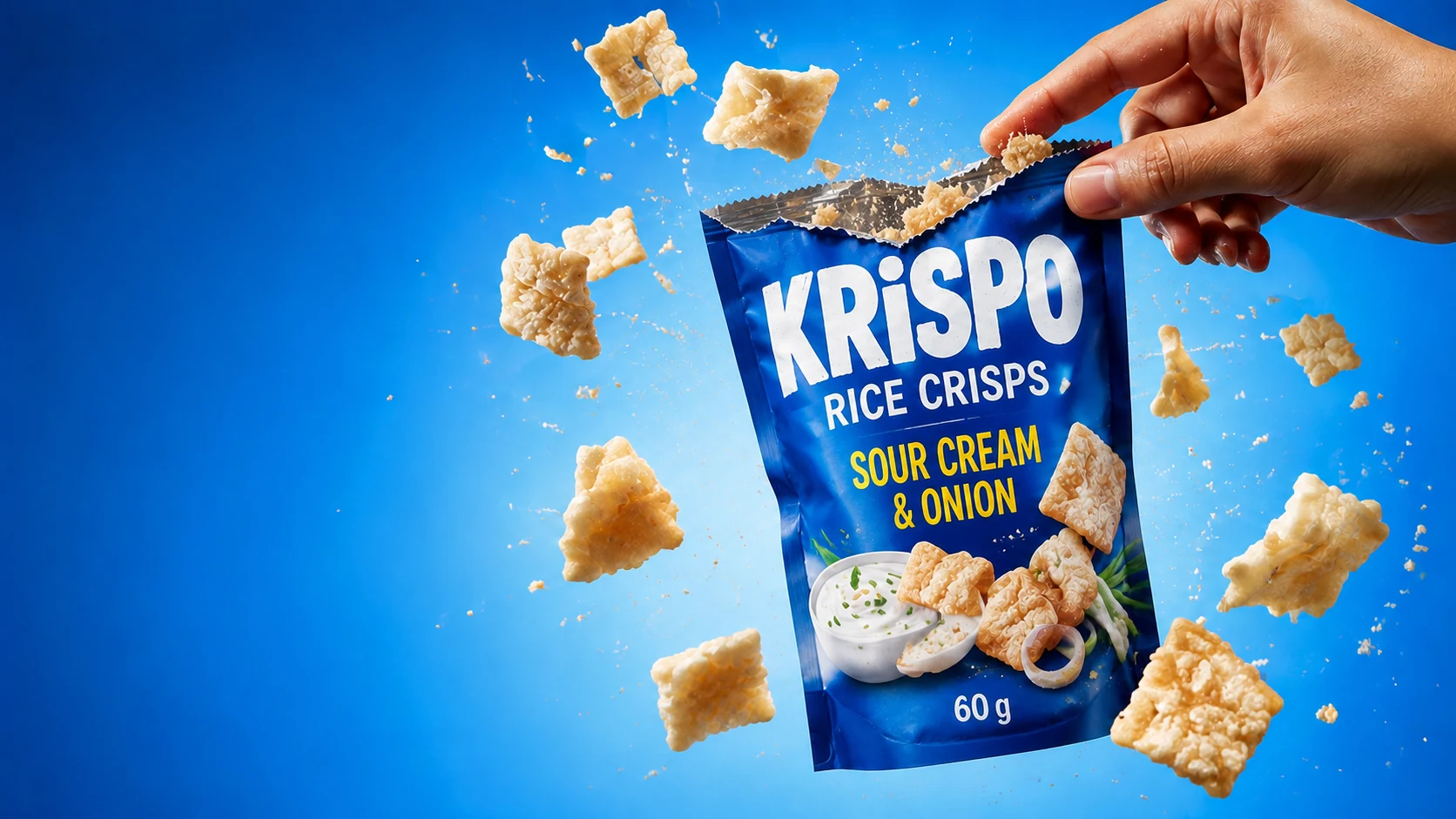
In GenLabs you upload a product photo and pick a direction, and GenLabs writes the prompts (the instructions you would otherwise type to an AI) for you, so you do not write them. You get up to 4 images per run. The vertical video is made from the product photo and is 10-15 seconds long. A set of images or a video is ready in 2 minutes, as our website states. The images and video below were made with GenLabs as examples on our website. The brand names printed on the products are invented names, not real customers. Two of the three sample images are 16:9 and one is 3:4, not 4:5, so before you post, change the ratio as the table in section 2 says.
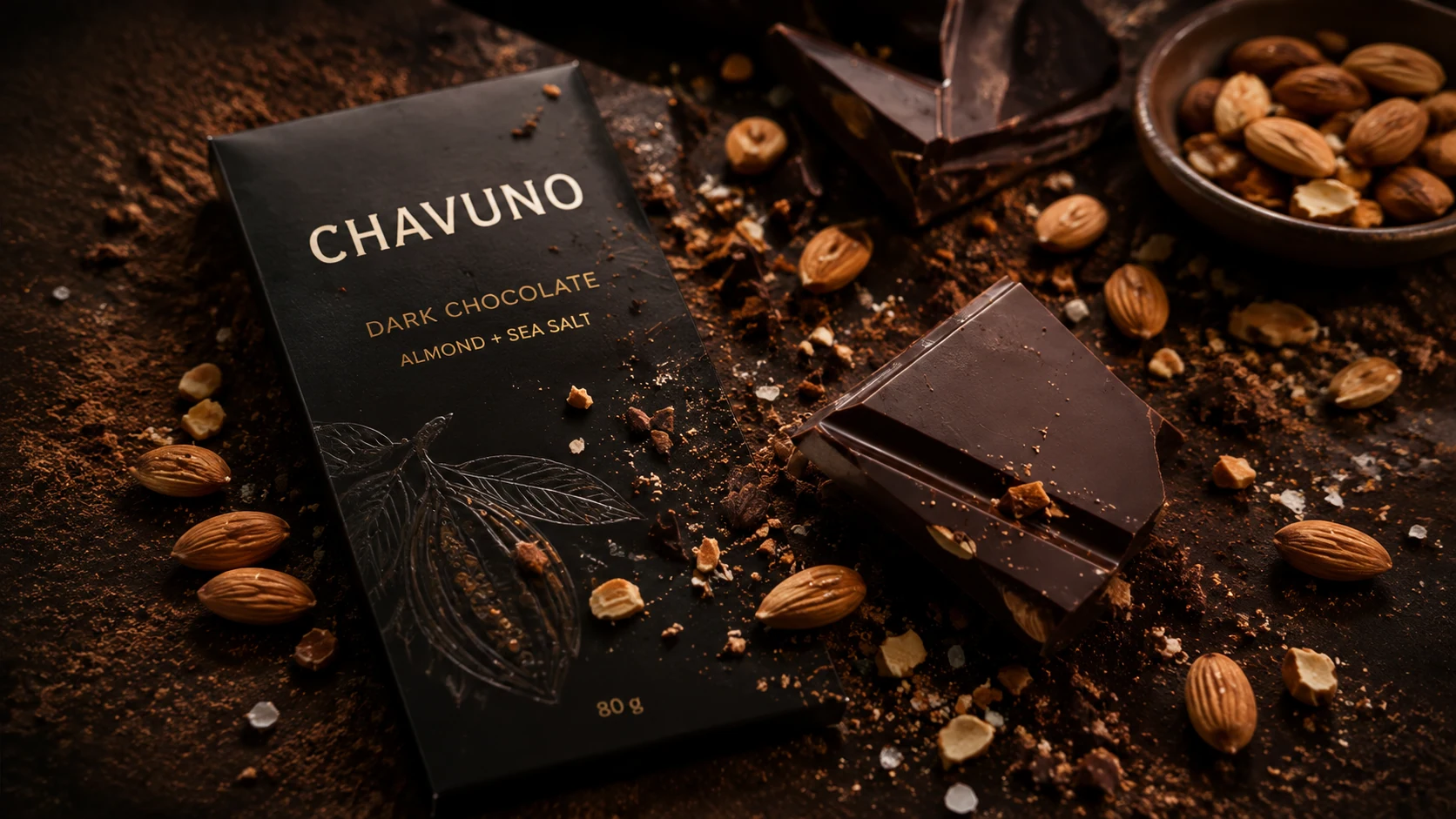
The whole pack is visible and the text on it can be read (DARK CHOCOLATE ALMOND + SEA SALT and 80 g), so a caption can state facts straight from the picture.
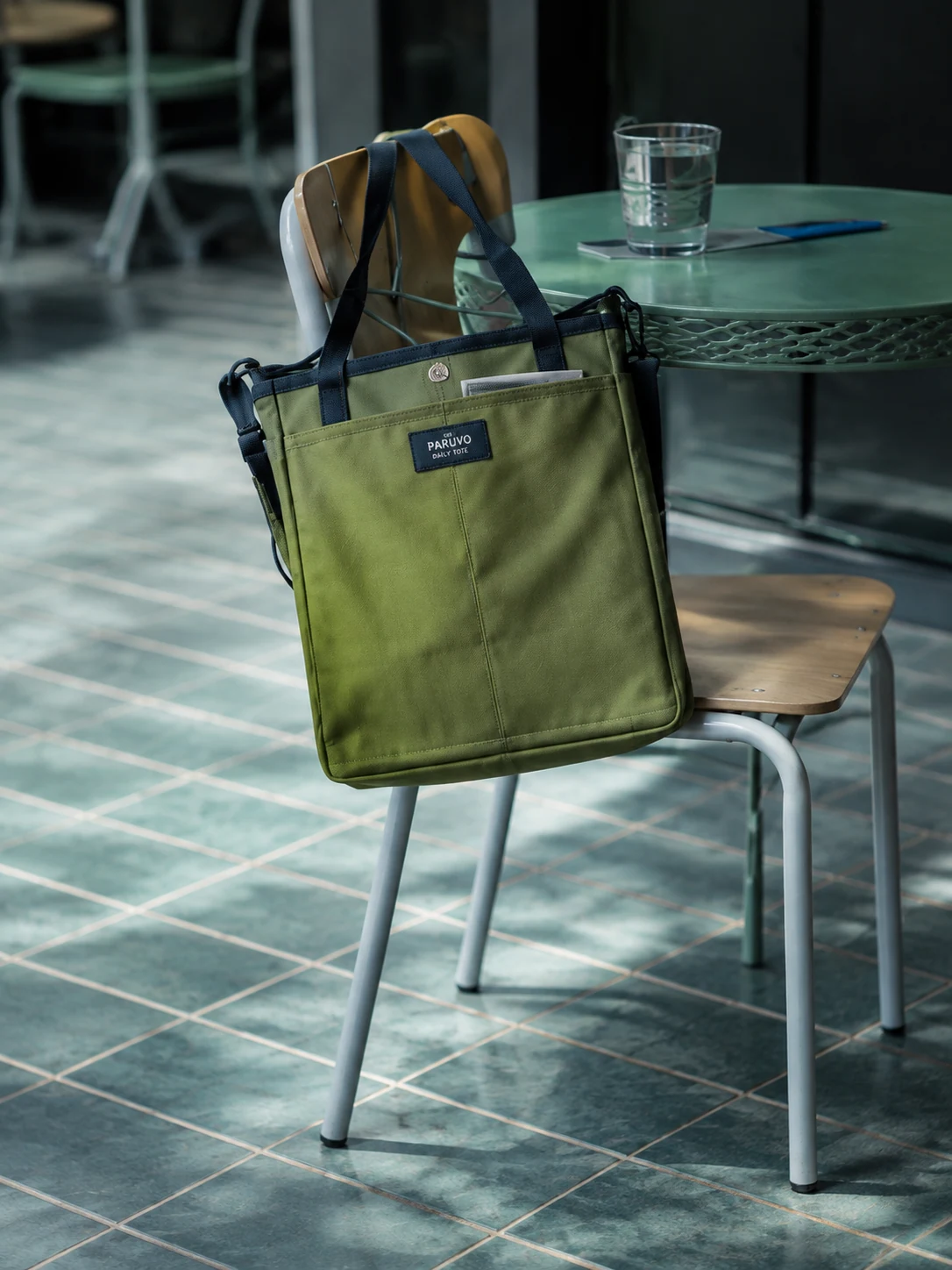
The picture shows the bag hanging from a chair beside a table, not just the bag on an empty floor.
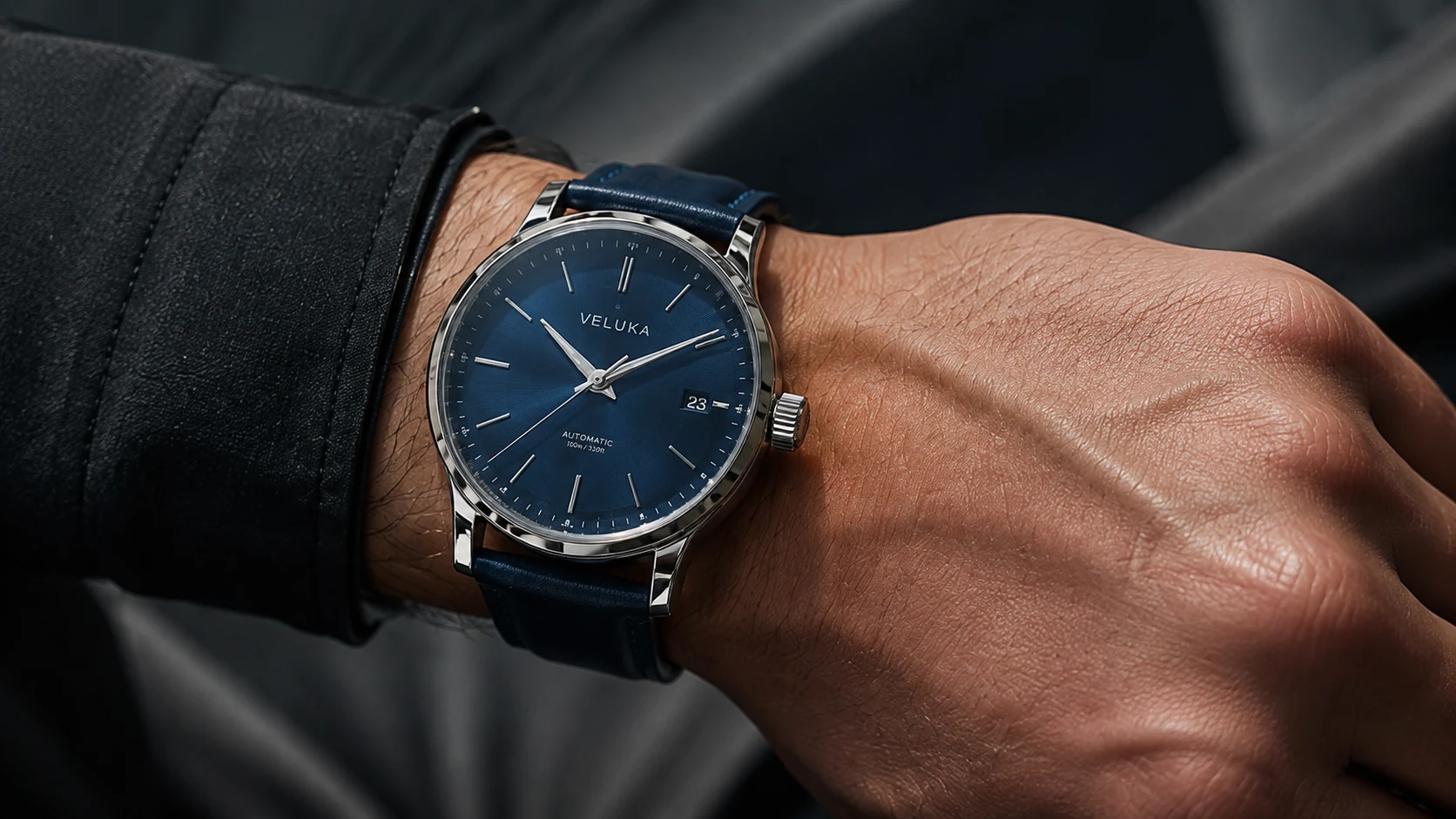
This picture shows the dial and the strap most clearly.
In the video the woman talks to the camera, opens a delivery box, takes a snack bag out to show it, holds one round chip up close to the camera, and then tastes it. The clear lettering on the pack is English (there is also small Thai print on the pack), and no Thai text is laid over the picture.
This vertical 9:16 video can go on Reels and TikTok, and it has Thai speech. The speech in the video belongs to this example: in your own clip, say only facts about your real product. The article make a product video that matches the item in your TikTok Shop basket has a table of what each shot of a product video does, using a handheld-fan video as its example. If you sell through TikTok Shop, the video must match the product attached to the basket under it, and that article explains how to check. Making a video from a product photo is explained in make an AI video from a product photo.
Before you post, open the file and check that the product name and the text on the pack match the real product. Our website itself asks you to check Thai text and product details before you use anything.
Once you have the files, you can schedule the post to Facebook, Instagram and TikTok from GenLabs for supported accounts. When you schedule, GenLabs suggests a caption and you can edit it yourself. The number of social accounts you can connect depends on your plan; see all plans and prices. How to schedule a post in each app itself is in schedule Facebook, Instagram and TikTok posts step by step.
Promote free first, pay later: what each channel gives, then choosing the post to put money on
Put ad money (Thai sellers often say ยิงแอด) only on a post that has proved people are interested. To prove it, post it free, wait until it is 3 days old, then count the chats in which customers asked about the product in that post (not likes). The post with the most chats is the one to put money on. On Shopee and Lazada, count orders instead. The 3-day rule is the rule we use to read GenLabs's own posts. It is not a tested best number for shops.
This table collects what each platform writes itself (read 30 Sep 2026):
| Channel | Free | Paid or top-up | Limits the official page states |
|---|---|---|---|
| Post from the Page; schedule ahead from 20 minutes to 29 days | Boost a post in the Meta Business Suite app, and boost a Marketplace listing | Marketplace has a minimum daily budget (Meta gives no figure), and Meta writes that the feature may not be available to you yet | |
| Post photos and Reels; schedule ahead up to 30 days | Create an ad in Meta Business Suite and choose Instagram as the placement | Up to 25 scheduled posts a day, for public Instagram accounts | |
| TikTok | Post clips; schedule on TikTok web on a computer from 15 minutes to 10 days ahead | Promote in the TikTok app | A scheduled post cannot be edited but can be deleted, and scheduling needs a Business Account or 10,000 followers or more. Promote needs a creator or Business Account, age 18 or older, a public post, and original sound or sound cleared for commercial use |
| LINE OA | Broadcast 300 messages a month on the free package (counted as the number of broadcasts times the followers who can receive them) | Monthly packages: Basic 1,280 baht (15,000 messages), Pro 1,780 baht (35,000 messages), before 7% VAT | Chats with customers, auto replies and the greeting when someone adds you as a friend do not count as broadcast messages. The free package cannot set an extra message limit |
| Shopee | "Promote product" (โปรโมทสินค้า), 5 products at a time, 4 hours each | Shopee Ads | Products that other sellers advertise with Shopee Ads may appear above the product you promote |
| Lazada | New sellers get 1 campaign voucher and the special free-shipping program free for 30 days | The product promotion tool (Lazada's Thai name is เครื่องมือโปรโมตสินค้า), which you top up (the new-seller mission says top up 1,000 baht) | The figures and terms of each program are in Lazada University. We did not read the steps of the promotion tool |
Shopee. Shopee's Seller Education Hub calls this feature "โปรโมทสินค้าฟรี" (free product promotion). The page says it temporarily boosts the visibility of a product when buyers search, and the product appears near the top of the "ล่าสุด" (Latest) tab of category search results. In the Shopee app, go to "ร้านของฉัน" (My Shop) > "สินค้าของฉัน" (My Products), select the product, tap "ดูเพิ่มเติม" (More), and choose "โปรโมทสินค้า" (Promote product). In Seller Centre, go to "สินค้าของฉัน" (My Products), select the product, tap "เพิ่มเติม" (More) and choose "โปรโมทตอนนี้" (Promote now). Once 5 products are being promoted, you must wait for one of them to finish its 4 hours. A product you have promoted must also wait the full 4 hours before you can promote it again (Shopee's page is dated 24 Aug 2023 in the Hub's list). If you searched for "promote product Shopee" because you want to sell other people's products as an affiliate, this page does not cover that.
Boost a Facebook post in Meta Business Suite (mobile app). If you searched for "promote Facebook page" because you want more people to see your Page's posts, these are the steps from Meta's help page:
- Open the Meta Business Suite app and tap "Content" in the menu bar at the bottom.
- Tap the dropdown menu at the top left and select "Published".
- Find the post you chose (the one with the most chats, as above) and tap "Boost post".
- Select a goal, such as "Get more messages" (this matches the chats we count) or "Get more engagement".
- Select your audience, budget, duration and payment method.
- Tap "Boost post now".
The same page says, in its create-ad section, that Facebook reviews an ad within 24 hours before it is published, and that you can see results in the "Ads" and "Insights" tabs. This process belongs to Meta, not GenLabs, and GenLabs does not set up ads for you. To boost a Marketplace listing, follow Meta's page Boost Marketplace listings, which says the listing turns into an ad on Facebook.
Promote on TikTok, from TikTok's support page: tap "More options" (the three dots) on your public post, tap "Promote", choose a goal, choose a promotion pack or a custom one, and tap "Pay". The page says Promote works for videos and photo-mode posts, not for Stories, and that you can end a promotion at any time.
LINE OA. The broadcast package page of LINE has a section "วิธีการคิดจำนวนข้อความบรอดแคสต์" (how broadcast messages are counted). It gives this formula: the number of broadcast messages = the number of broadcasts × target reach (followers who have not blocked the account and use LINE regularly). LINE's example: an account with 1,000 followers and a target reach of 600 uses 600 messages for 1 broadcast, and one broadcast can hold up to 3 bubbles. So the free 300 messages cover 1 broadcast to 300 followers, or 4 broadcasts to 75 followers each (300 ÷ 4 is our own arithmetic). With more followers than that, the free package does not cover a weekly broadcast; see the monthly packages in the table.
Platform pages used in this section: create an ad or boost a post in the Meta Business Suite app, schedule Facebook posts, schedule Instagram posts, Promote on TikTok, LINE OA broadcast messages (Thai), LINE broadcast packages (Thai), Shopee's free product promotion feature (Thai), Lazada University (Thai).
Write down the post that won, and post it again after 90 days with a new picture or a new first line. Many people have not seen it yet. The 90-day rule is ours, not a tested number.
A worked week of promoting a product: the weekly table for a chocolate shop
The weekly table has 6 tasks and repeats every week. The example shop sells dark chocolate with almond and sea salt, 80 g, as in figure 1 (the brand on the pack is an invented name). It picks a Facebook Page and TikTok as its first two channels and sells on Shopee. The fact of the week is 80 g, because it is text you can read on the pack:
| Day | Task | Channel |
|---|---|---|
| Monday, morning | Make the week's set in one go: choose the product and 1 fact, make the 4:5 image and the 10-15 second clip, write the three-line caption, then schedule the whole week's posts | Facebook Page, TikTok |
| Monday 12:00 | Post the image with its caption | Facebook Page |
| Wednesday 19:00 | Post the 10-15 second clip of the same product | TikTok and the Page's Reels |
| Thursday | Read Monday's post, now 3 days old: open the Page's chats, count the new chats that ask about the product or type the word from the caption (here "ขอช็อก"), counted from when the post went out, and write the number next to the post | Facebook Page |
| Friday 17:00 | Post an answer to a question customers ask often, with the whole-product 1:1 image from the same set, and press "Promote product" in Shopee for 1 round (4 hours per product) | Facebook Page, Shopee |
| Sunday 10:00 | Read Wednesday's clip, choose the post with the most chats this week, and put ad money on that post if people messaged | The channel that post is on |
Monday's caption in this example follows the Scene-Item-Message formula, from what figure 1 shows:
หักดาร์กช็อกโกแลตออกมาเป็นชิ้น มีอัลมอนด์วางอยู่รอบๆ ดาร์กช็อกโกแลต อัลมอนด์ + เกลือทะเล แท่งละ 80 กรัม พิมพ์ "ขอช็อก" ในแชท แล้วบอกจำนวนแท่งได้เลย
Gloss. Scene: "Break off a piece of dark chocolate, with almonds lying around it." Item: "Dark chocolate, almond + sea salt, 80 g a bar." Message: "Type 'ขอช็อก' (I'd like the chocolate) in the chat and say how many bars."
If you add a third channel, use the same set for that week; do not make a new one. On Instagram, post the same image on Monday at 12:00 and the same clip as a Reels post on Wednesday at 19:00. On LINE OA, send 1 broadcast on Thursday with the square image. LINE counts messages by the followers who receive it, so the free 300 messages a month cover a weekly broadcast (4 a month) only with 75 followers or fewer.
The days and times in the table are an example we chose, not a test of which time is best, and we have not measured whether this rhythm brings more orders. Adjust the times to when your followers are online. When you schedule in Meta Business Suite there is an "Active times" button, which Meta says recommends times from when your followers used Facebook and Instagram most in the last 7 days. A blank 4-week table, filled in, is in Content Plan: a one-month content calendar.
What this plan cannot do: limits to know
- We have not tried this plan on a real shop. There is no sales or chat figure to show. The weekly rhythm (number of posts, days, times) and the 3-day rule are examples we chose.
- Each platform's figures can change. We read all the official pages on 30 Sep 2026. Open the page again before you rely on any figure.
- This page writes out the ad steps for Meta and TikTok only. We did not write steps for Shopee Ads or Lazada's promotion tool.
- This page does not say how much to put in. You choose the budget, duration and payment method yourself when you set up in the Meta or TikTok app. We have no tested figure to give.
- This page covers boosting posts only. It does not cover promoting the Page itself to gain followers.
- A shop with a physical storefront, such as a restaurant or a salon, can use this rhythm of images and video, but this page does not cover maps or local search.
- GenLabs makes the images and video and schedules the posts for you, for supported accounts. GenLabs does not set up ads or open a shop on Shopee, Lazada or TikTok Shop for you. Which post gets chats you have to see from your own chats.
Frequently asked questions
How can I promote a product online for free?
Post from your Facebook Page, your Instagram account and your TikTok account, all of which you can schedule ahead (Facebook 20 minutes to 29 days, Instagram up to 30 days, TikTok 15 minutes to 10 days on TikTok web on a computer). Send broadcasts to people who added your LINE OA: 300 messages a month on the free package, counted by the number of followers who receive each broadcast. Press "Promote product" in Shopee, 5 products at a time, 4 hours each. The table in section 4 has each channel.
How do I promote a Facebook page?
For free, post from the Page regularly with the weekly table in section 5. For paid, use "Boost post" in the Meta Business Suite app: tap "Content" > "Published", find the post, tap "Boost post", choose a goal such as "Get more messages", set the audience, budget and duration, and tap "Boost post now". Pick the post with the most chats before you put in money.
How do I promote a product in Shopee?
In the Shopee app, go to "ร้านของฉัน" (My Shop) > "สินค้าของฉัน" (My Products), select the product, tap "ดูเพิ่มเติม" (More) and choose "โปรโมทสินค้า" (Promote product). You can do this for 5 products at a time, 4 hours each, according to Shopee's page. If you searched because you want to sell other people's products as an affiliate, this page does not cover that.
What does one week of promoting a product look like?
The example week in section 5 has 6 tasks: make the set of image, clip and caption once on Monday, schedule the image on Monday at 12:00, the clip on Wednesday at 19:00 and a question-and-answer post on Friday at 17:00, count chats on Thursday, and choose the post to put money on on Sunday. The times are an example we chose, not a test result.
What does it cost to hire someone to promote a product?
The listing page for product promotion services on Fastwork had 429 jobs (read 30 Sep 2026). The starting prices on its first page run from ฿350 to ฿4,999. The real price depends on each seller. Before you hire, ask what the price includes and where the work will be posted. If you do it yourself, the plan on this page uses one set of images and one video a week.
How many credits does making the promotion images and video in GenLabs use?
A standard image costs 1 credit, and you get up to 4 images per run. A 10-15 second video costs 15 credits. Making 4 images and 1 video a week uses 19 credits a week, or 76 credits over 4 weeks. The Startup plan costs ฿599 a month and has 80 credits, Pro costs ฿1,990 and has 400, and Business costs ฿4,990 and has 1,600. If you generate again because the result is not what you wanted, more credits are used, and a plan's credits for the period do not roll over to the next period.
Start from your own product photo
700+ Thai businesses have paid for GenLabs. GenLabs' mission is to make marketing easier for brands. Take one phone photo of your product and let GenLabs make this week's ad images and video.
Make your first ad image from your product photo