Product ad images
Product ad images: real examples and how to make one from your own photo
A good product ad image shows the product clearly, lets you read the name on the pack at a glance, and matches the size of the ad placement: 4:5 for Facebook and Instagram Feed, 9:16 for Stories and Reels. This page shows 12 real images made with GenLabs, grouped by what you sell, and how to make the same for your own product: upload a phone photo, pick a direction, and GenLabs writes the prompts and makes the images, a set in 2 minutes.
What does a good product ad image look like? 12 real images by what you sell
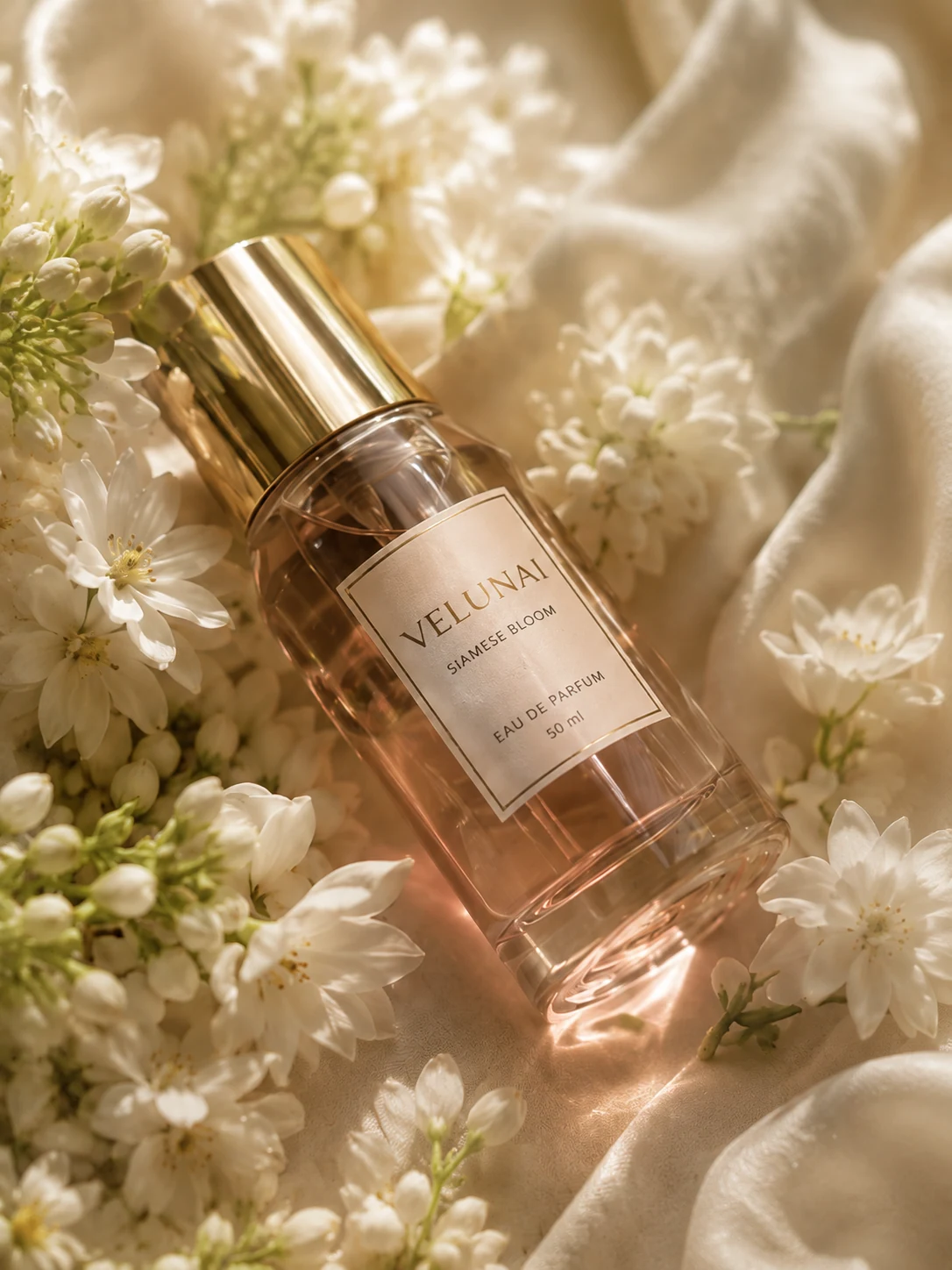
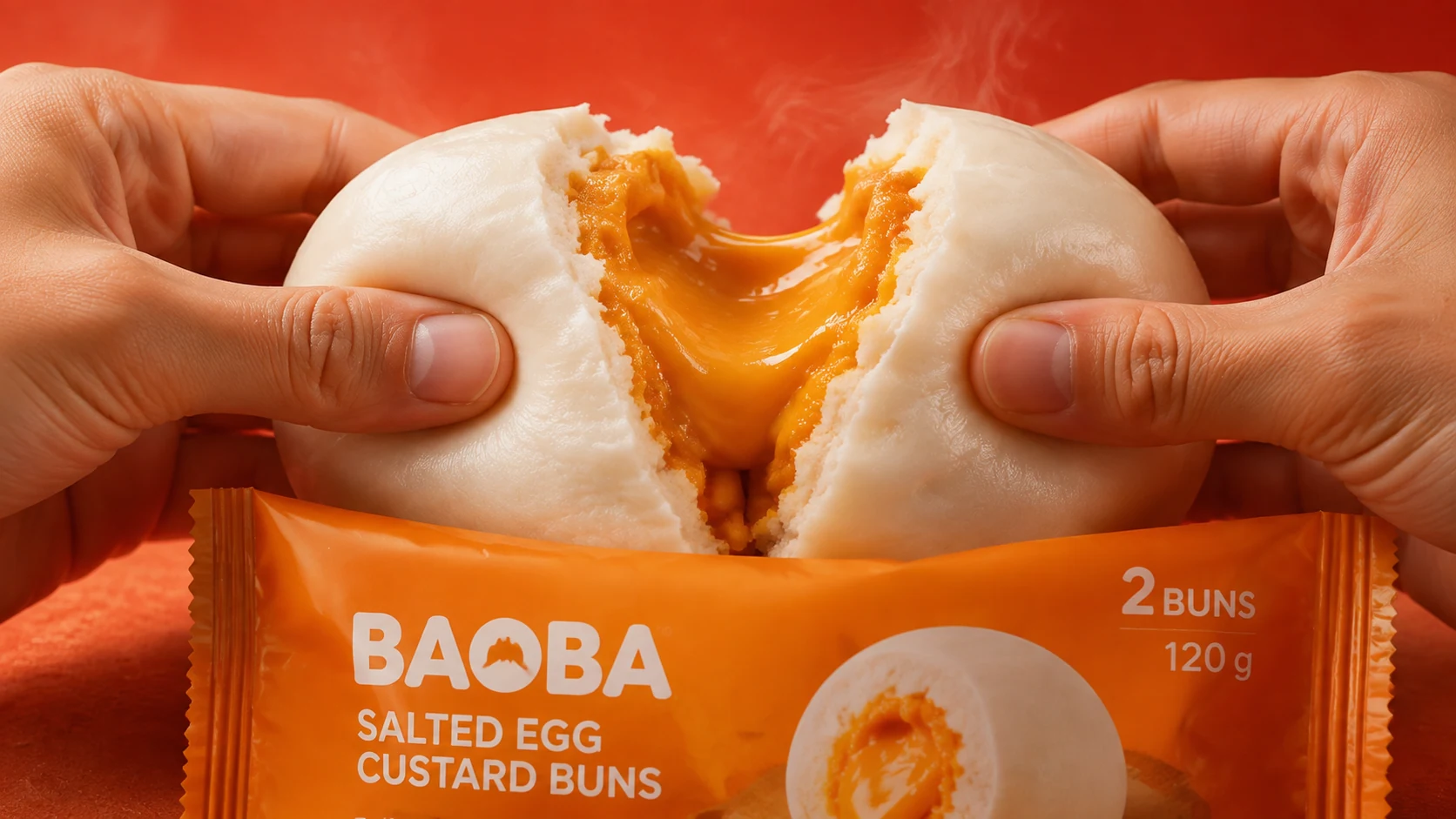
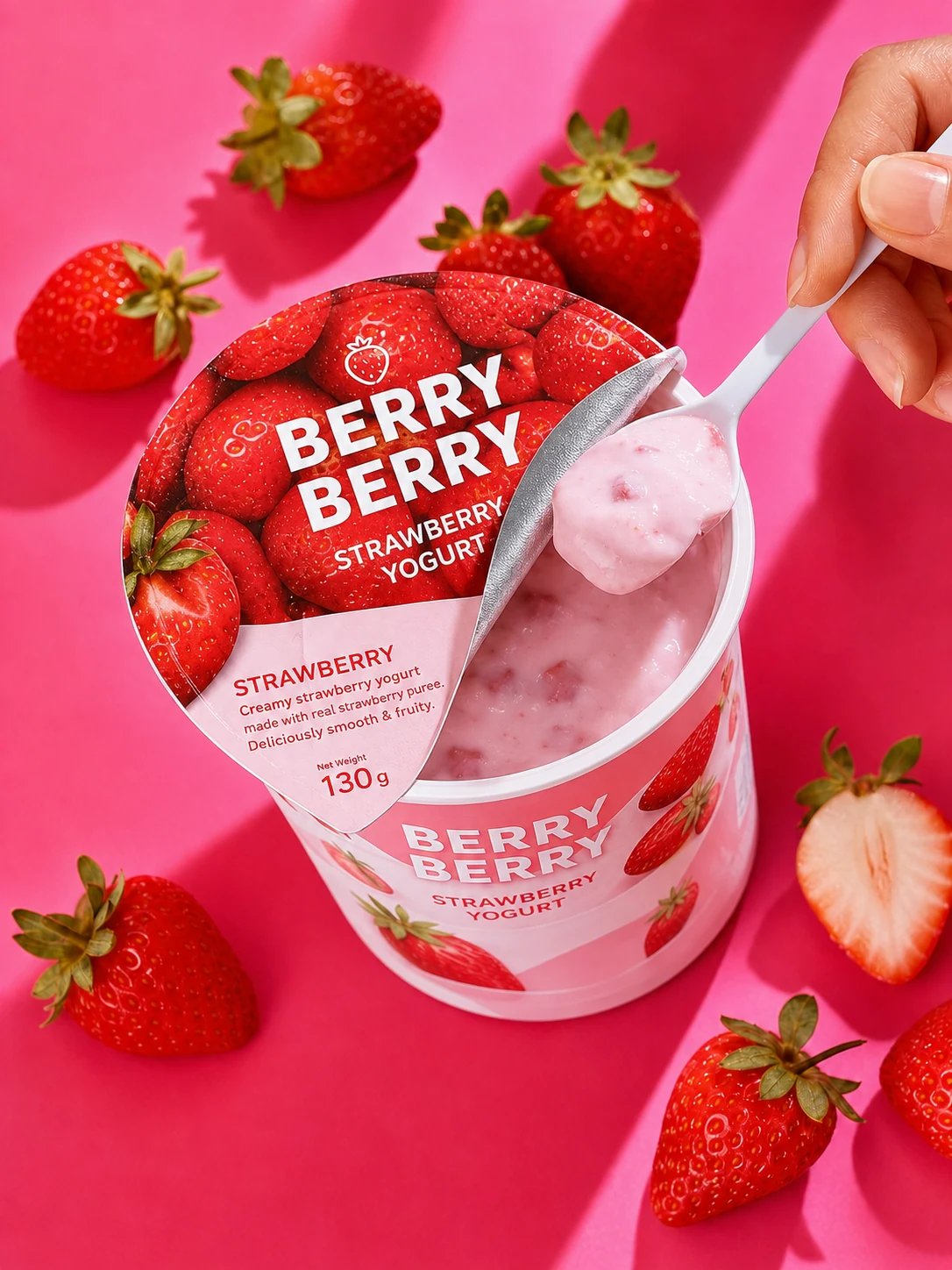
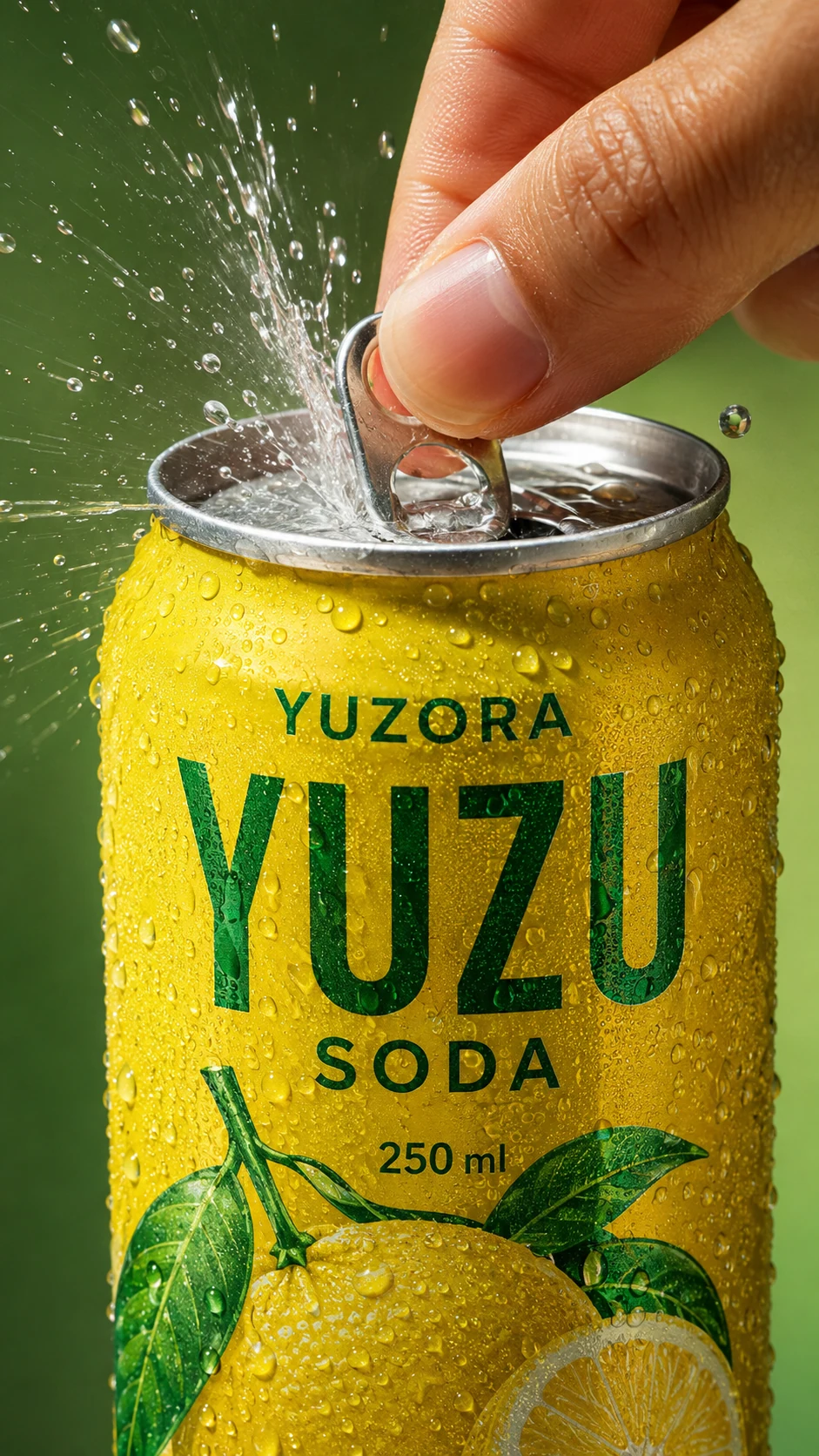
A good product ad image shows the product clearly so you can read the name on the pack, and uses the scene to say how the product is used or what it feels like. The 12 images below do this for five kinds of product. All are GenLabs sample work for made-up products, not client work.
Skincare and beauty
Food
Drinks
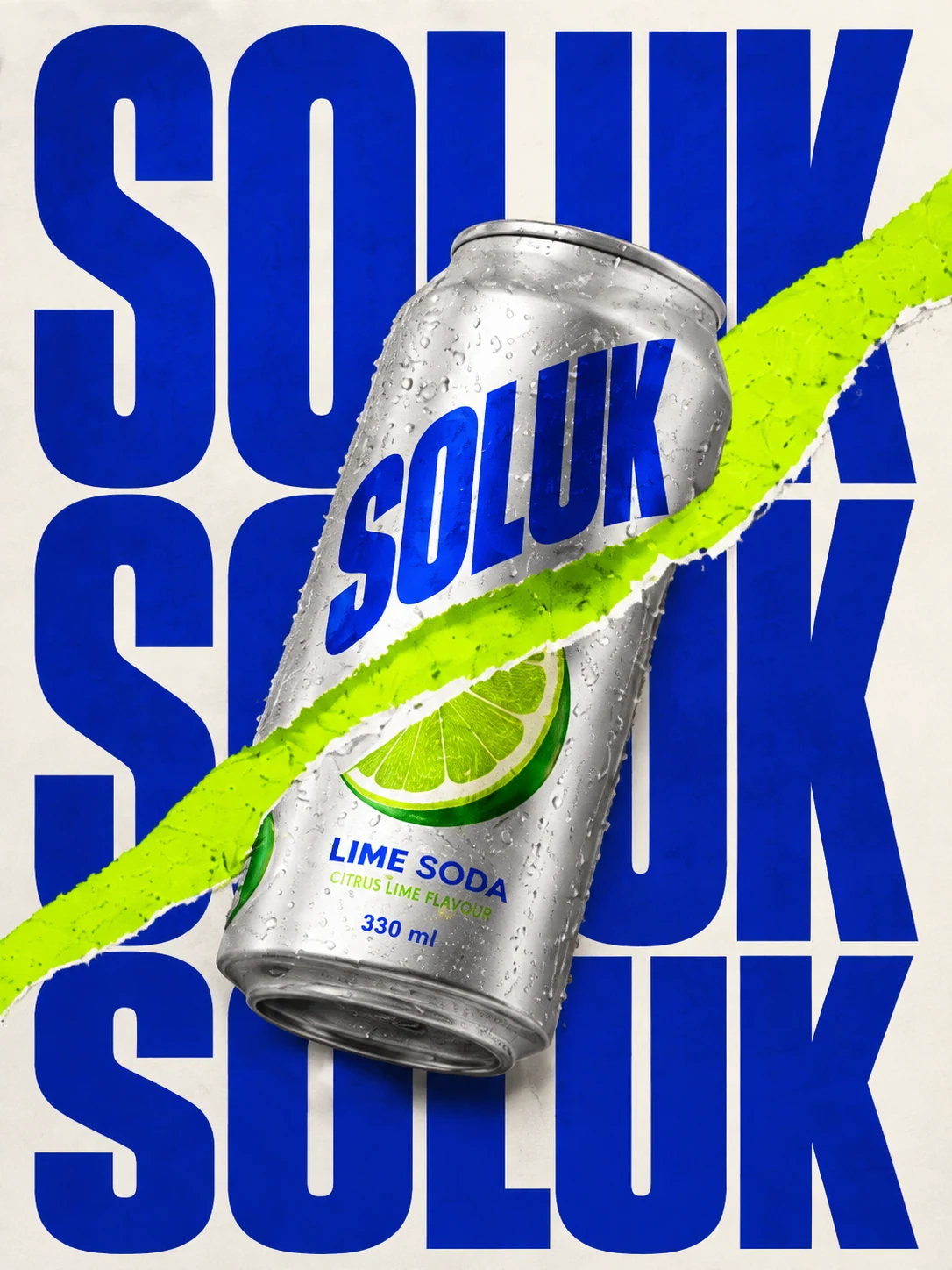
Fashion and accessories
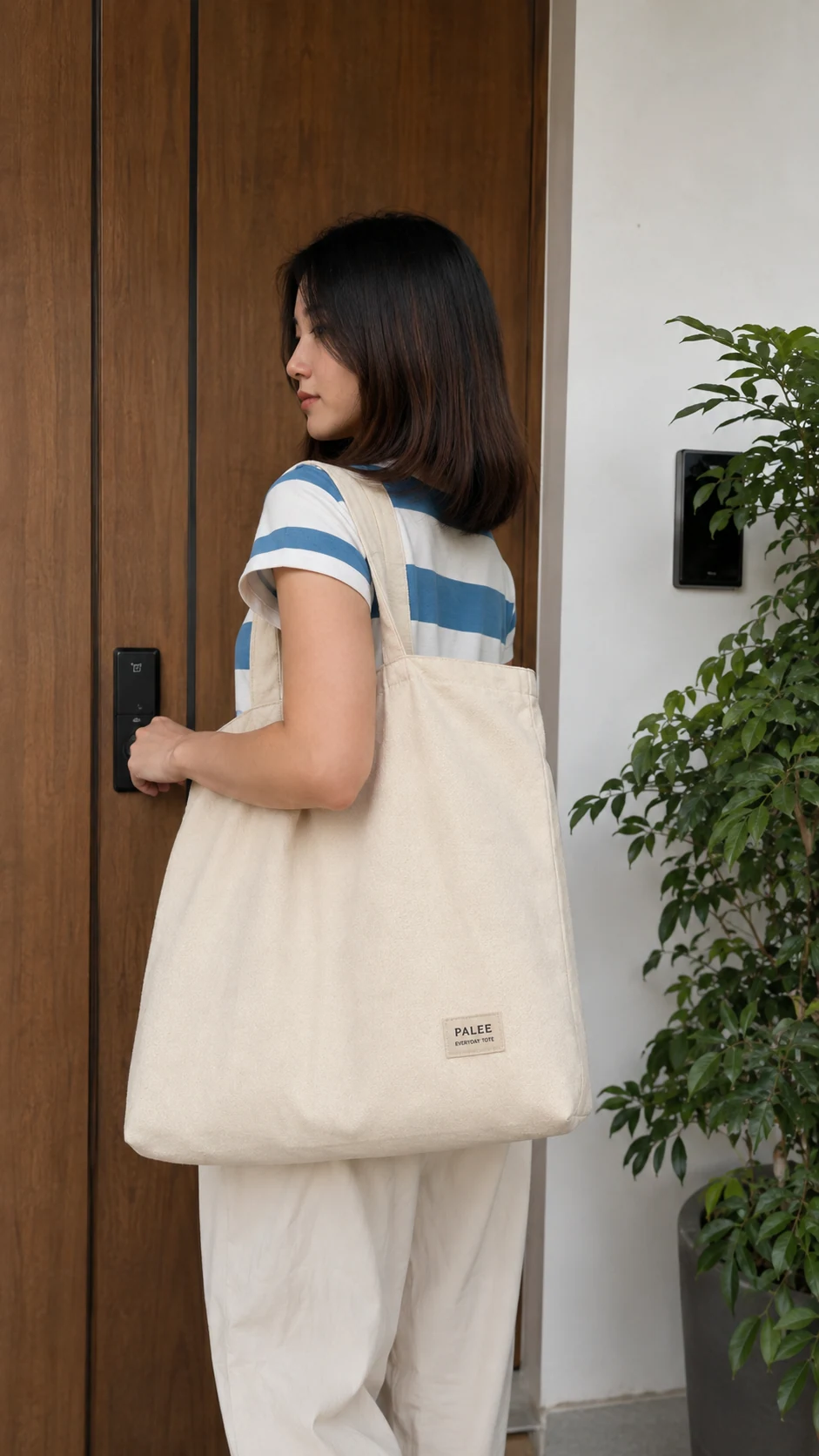
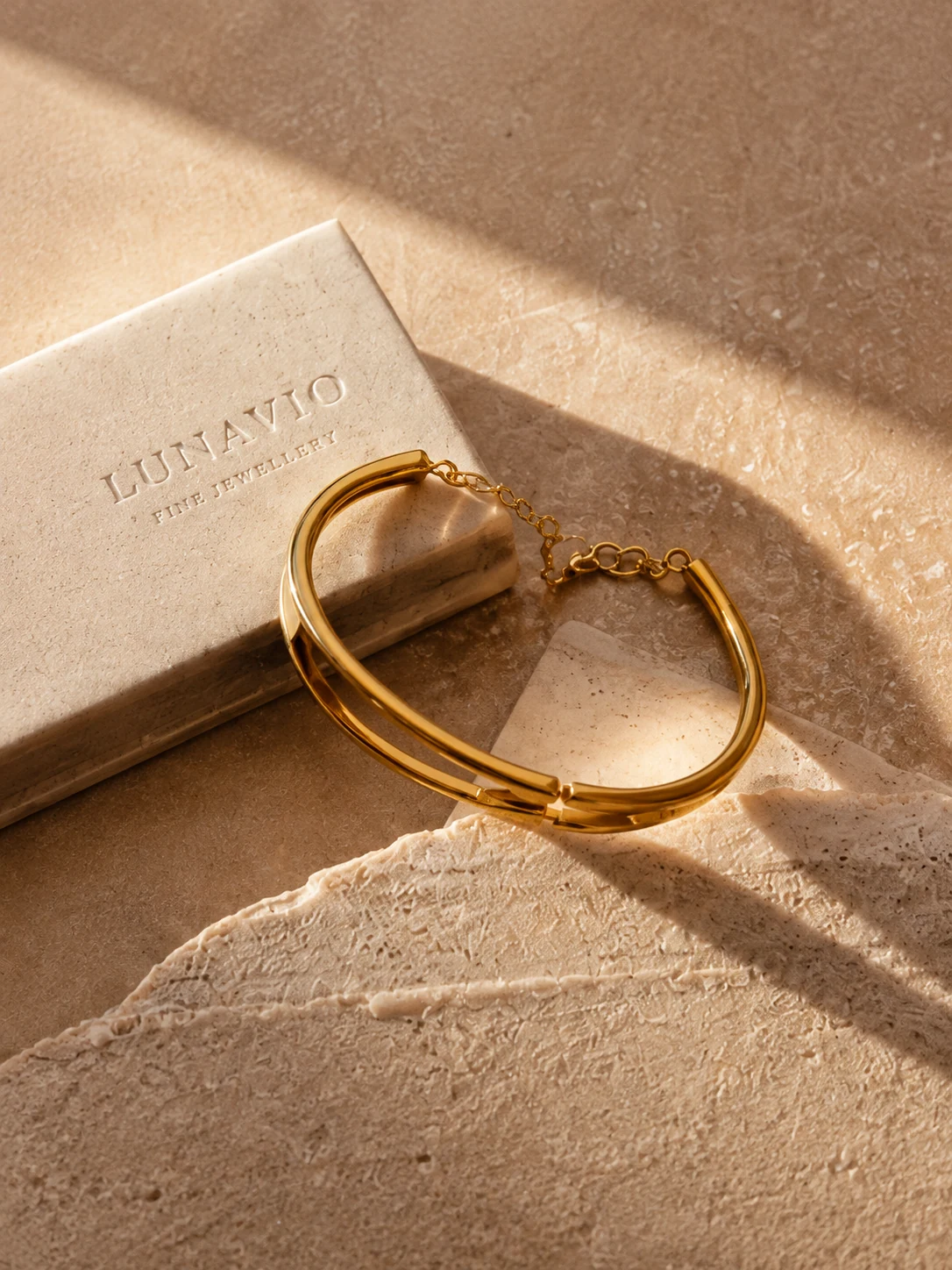
Home goods
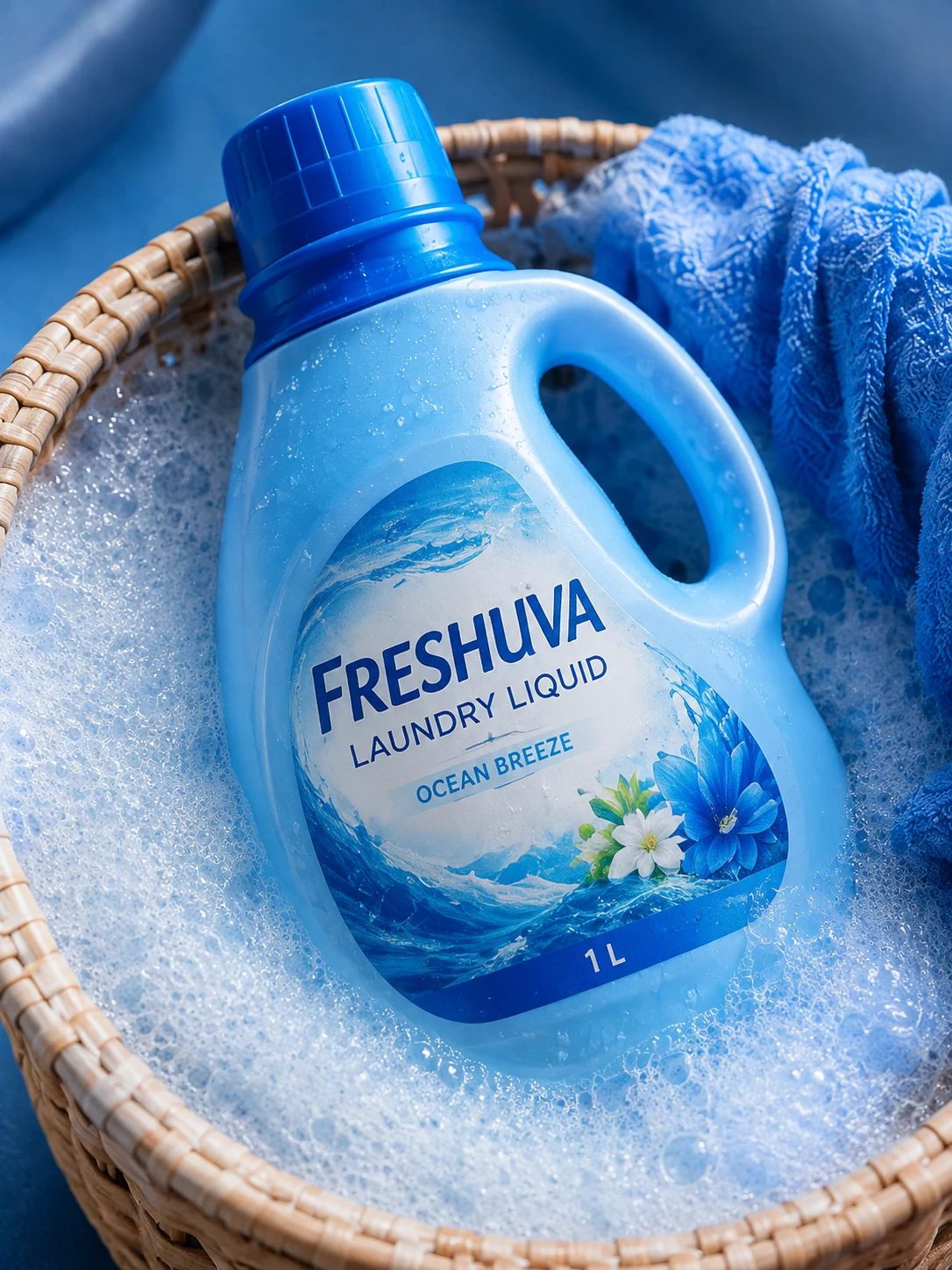
What makes a product ad image work: design principles from Meta
Of the eight techniques Meta lists for image ads, five show in the picture itself: show people using the product, crop tightly on what matters, keep text from covering the image, use colours that suit the product, and show the brand. Meta, which owns Facebook and Instagram, writes in its Business Help Center that these can be effective, but that testing your ad is the best way to find what works for your audience. The table pairs each one with an image on this page.
| Technique from Meta | What Meta says | Where you see it |
|---|---|---|
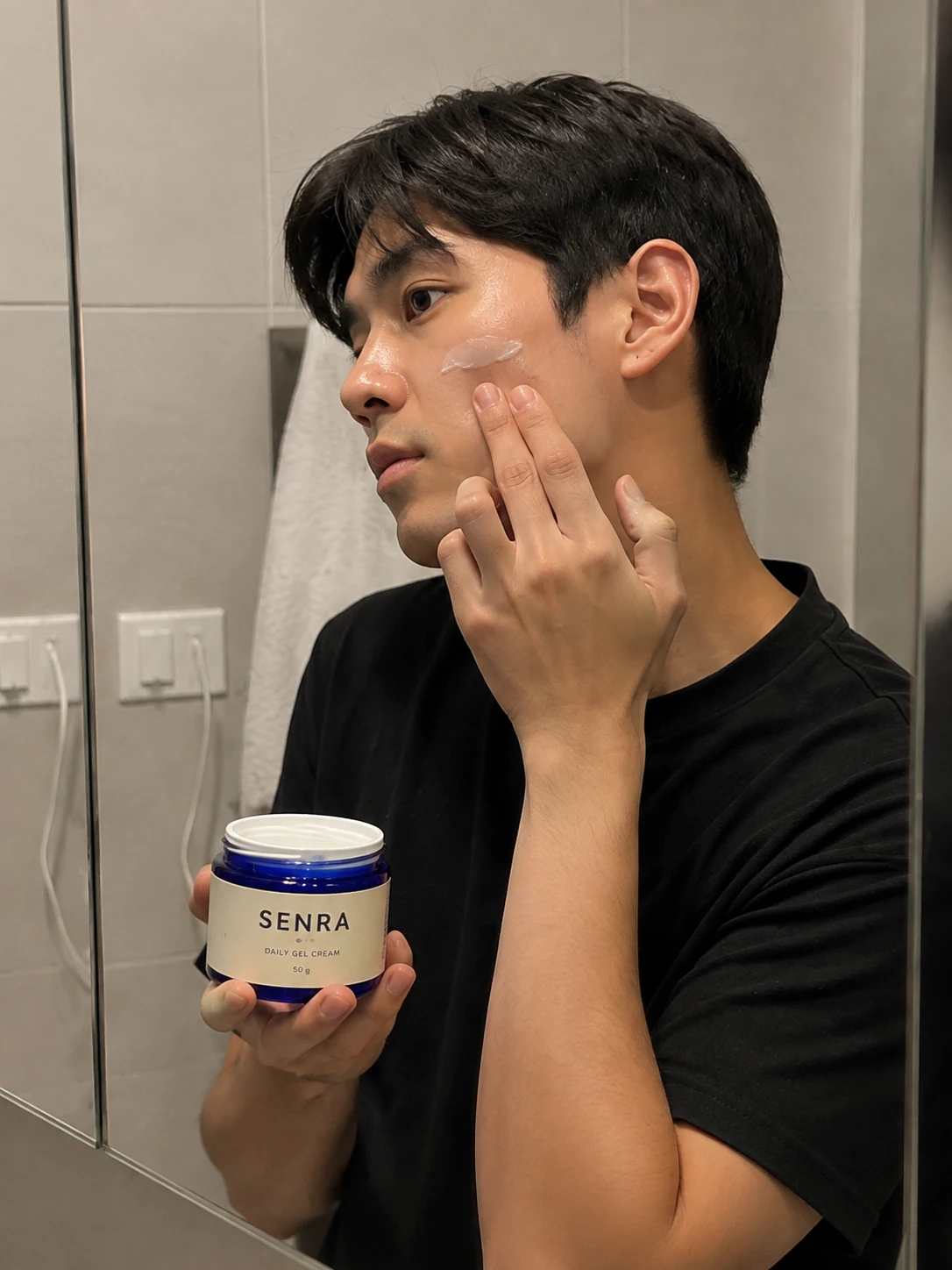
| Show people using the product | It helps people picture themselves using it, and it can work to show people like your target audience in realistic settings. | Image 1 (a man applies gel cream at the mirror) and image 9 (a woman carries a canvas tote at her door) |
| Crop tightly on what matters | Crop tightly around the important part of the image to keep the audience's attention. To show several images in one ad, Meta recommends the carousel format. | Image 5 (the bun being torn open) and image 7 (the can being opened) |
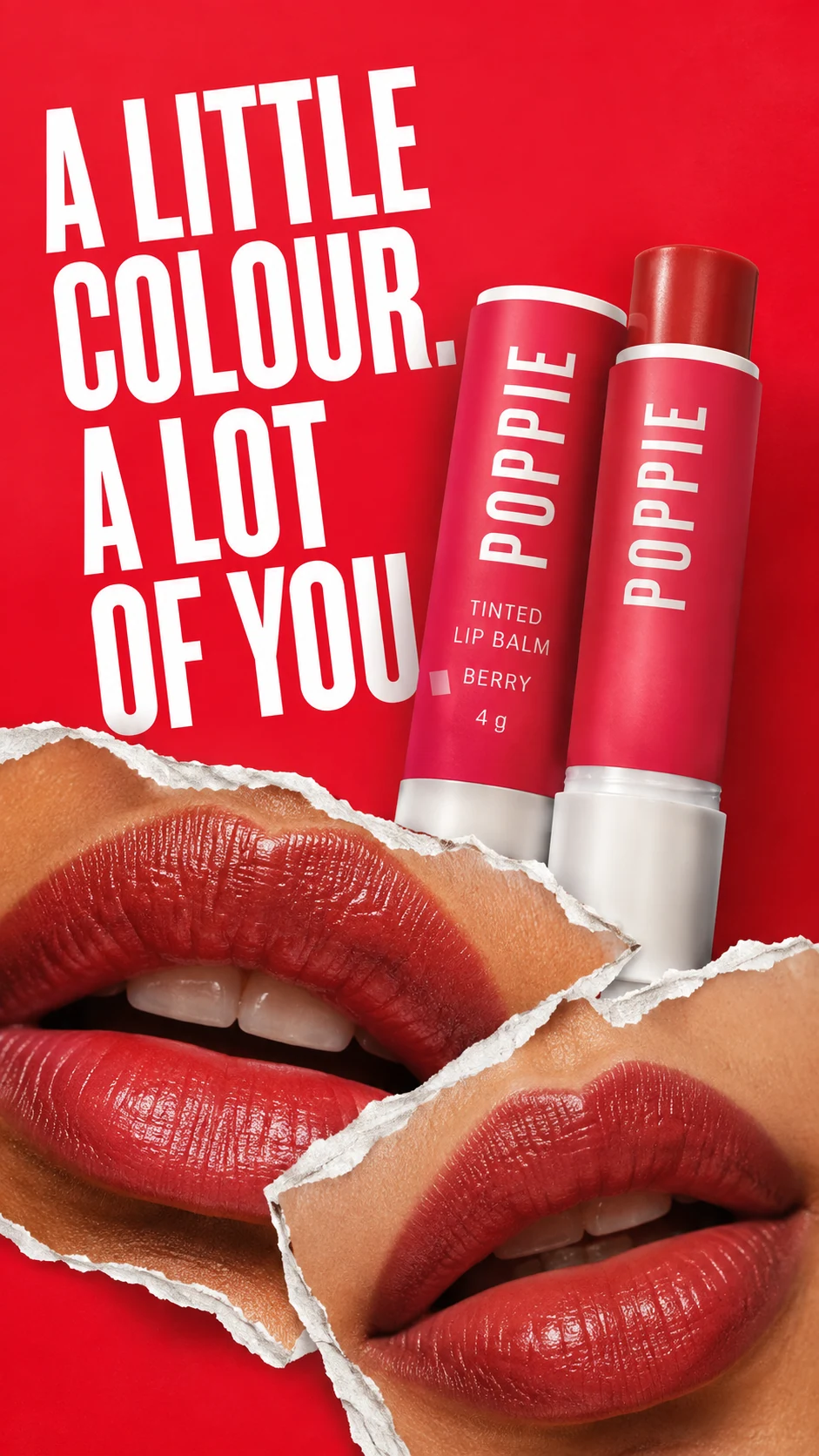
| Text that does not block the image | Text should not obstruct the visuals. Use a modern, clean font, large enough, in a contrasting colour. | Image 3: a large white headline on red sits at the top left and the name on the tube stays readable, but the last line of the headline touches the edge of the tube, so a little more margin would be better |
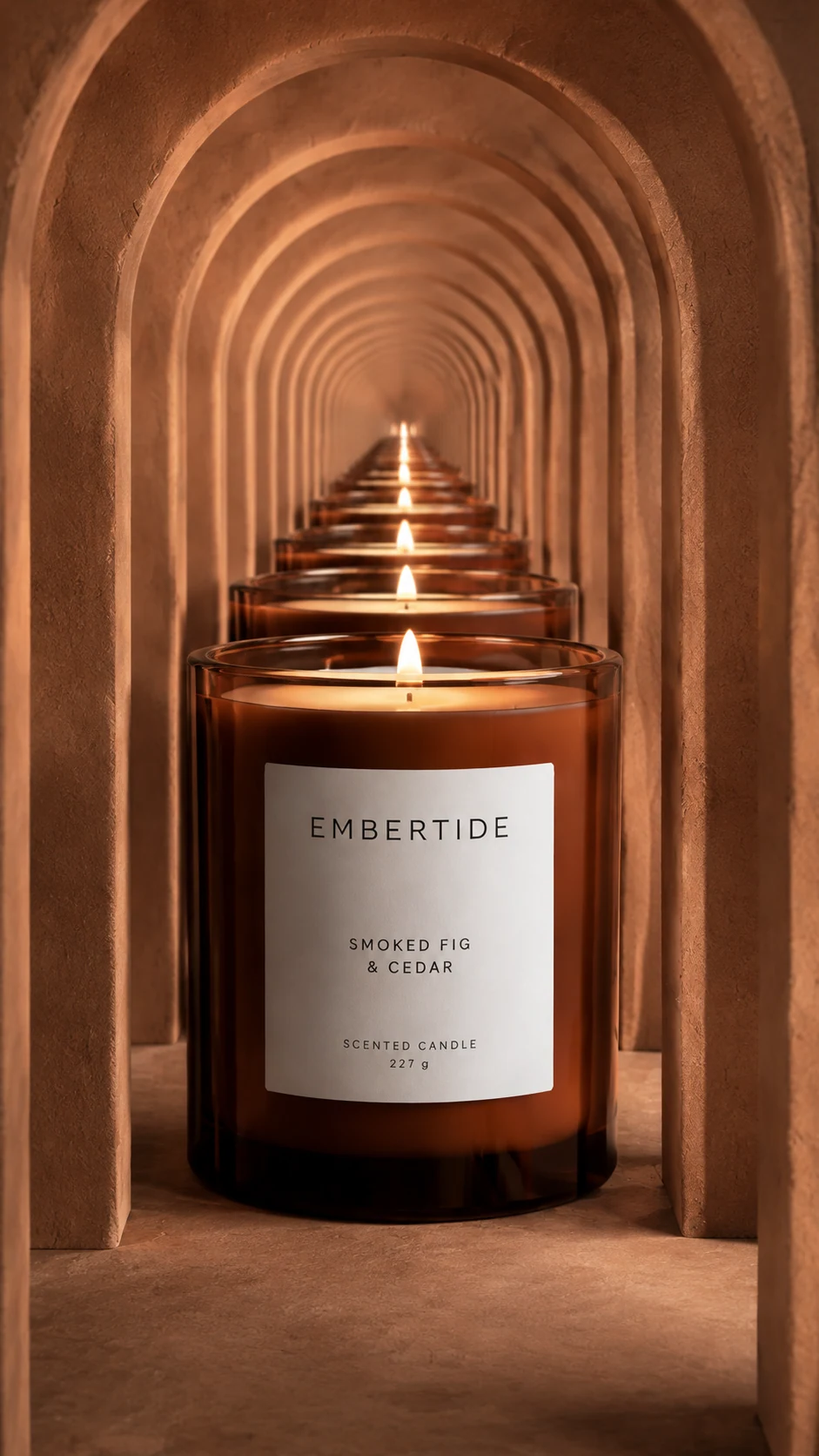
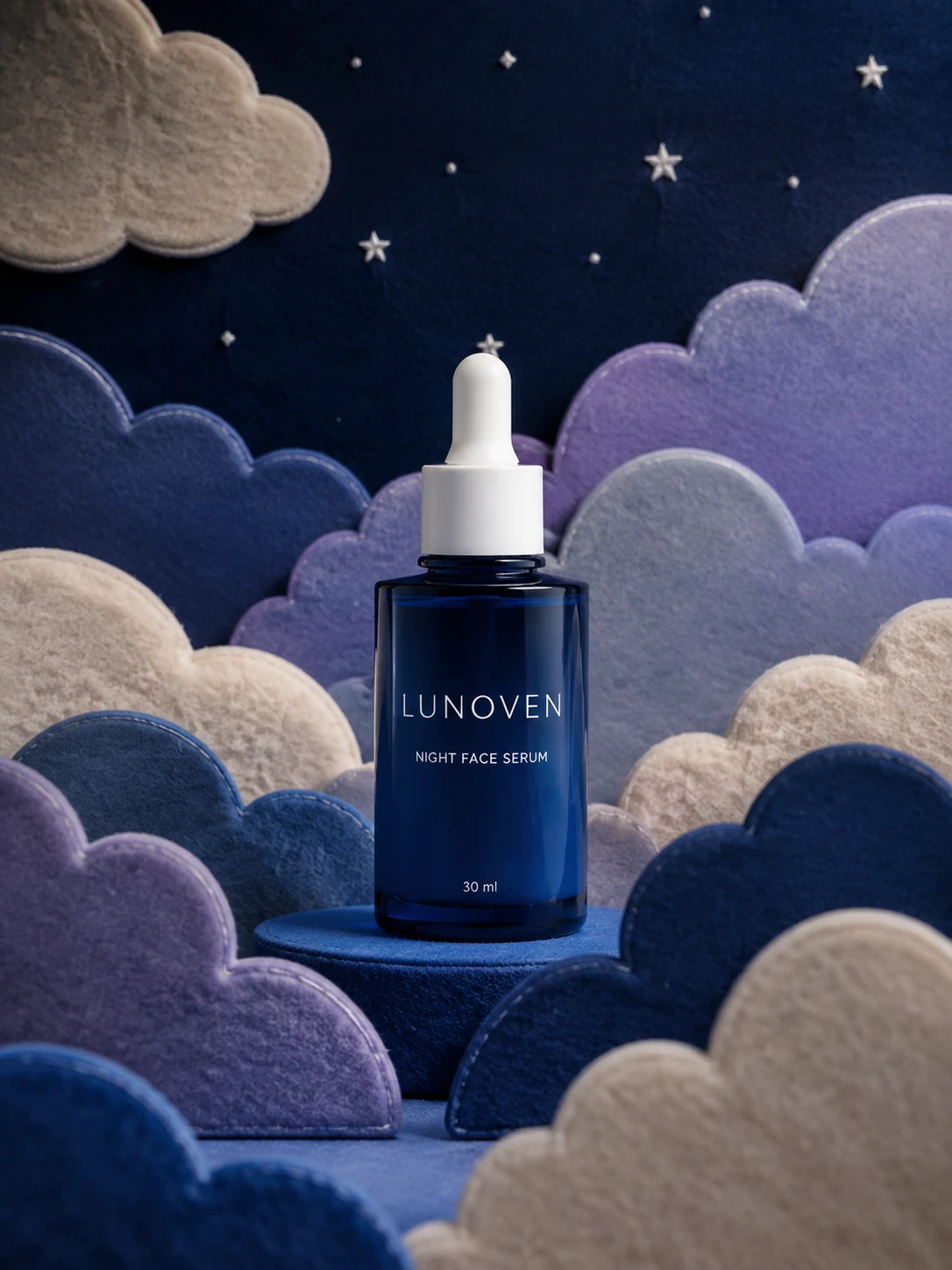
| Colours that suit the product | Use appealing colours appropriate for the content, such as bright tones for a summer sale or calming pastels for a spa. | Image 6 (hot pink that suits the pink yogurt), image 2 (the deep blue of a night serum), image 11 (terracotta that suits the candle light) |
| Show the brand | People engage more with brands they know, or brands that show they are credible. | Images 2, 5, 7 and 8: the product name is large and readable at once. Image 9 (a small patch on the bag) and image 10 (embossed in the same tone as the stone) carry the name lightly; you choose how prominent the name should be |
Source: Meta Business Help Center, "Best practices for image ads". The page shows no date (it mentions changes from March 2026); read 29 September 2026. The "where you see it" column is our own observation of the images on this page, not Meta's words.
5 checks for your ad image before you use it
- Shrink the image to phone size: can you still read the product name? (Meta writes that people scan Feed quickly, especially on mobile.)
- Does any text on the image cover the product?
- Do the colours suit the product?
- Is every Thai letter on the image and on the label spelled correctly?
- Does the ratio match the placement, and are the key parts kept out of the edges that get covered? (See the size section below.)
How do you make a product ad image from your own photo in GenLabs?
It takes 5 steps: upload the product photo, pick a direction, press create, check and fix, then resize to download or schedule the post. A set is ready in 2 minutes, and you do not write prompts.
Upload the product photo. A phone photo is fine. Show the whole product and make the name on the pack readable.
Pick a direction that suits the product and the brand from the ready-made directions (Presets). You can type your own instructions, but you never have to write a prompt.
Press create. GenLabs writes the prompts and makes the images, up to 4 images per run. A set is ready in 2 minutes.
Check and fix. Check the Thai spelling and the product details in every image, then fix them in the app (edit image, remove background).
Resize it for the channel you will run it on, then download the file to use as your ad image, or schedule the post to TikTok, Instagram and Facebook from GenLabs.
For a matching set of images for a launch or a promotion, use Build Brand Campaigns. Your logo, colours and brand information are saved once in your Brand Kit, and every new job starts from them, so you do not brief it again. If you want a cut-out of the product for use elsewhere, use Remove the background from your product photo, a free tool on the site that needs no account. If you want a video instead, see Turn a product photo into a video.
What size does a product ad image need on Facebook and Instagram?
A single-image ad on the Facebook and Instagram Feed uses a 4:5 ratio (Meta recommends 1440 x 1800 pixels), and Stories and Reels use 9:16 (Meta recommends 1440 x 2560 pixels), according to Meta's Ads Guide. Banner sizes for other websites are not covered on this page.
- Facebook Feed also takes 1:1, but Meta recommends 4:5 for a single-image ad.
- Stories and Reels: Meta suggests leaving about 14% at the top, 35% at the bottom and 6% at each side free of text, logos and key parts of the image, because parts of the app, such as the button, cover that space.
- Instagram Feed ads that are not 9:16 (such as 1:1 or 4:5): Meta says to keep the bottom and side edges free of key creative elements, text and logos.
- Image ads on Facebook Reels: Meta recommends no text on the image.
- JPG or PNG files, up to 30 MB, and Meta recommends the highest resolution you have.
The images in this gallery are web sizes (1,086 x 1,448, 941 x 1,672 and 1,672 x 941 pixels), smaller than the 1440 x 1800 and 1440 x 2560 Meta recommends, so they show the look; they are not files to upload as ads as they are. The 9:16 images (3, 7, 9 and 11) have the Stories and Reels ratio but are not ready as they are: image 3's headline sits in the top 14%, and the label text or name patch of images 7, 9 and 11 sits in the bottom 35% that the app's buttons cover. The 3:4 images need a crop to 4:5 for a Feed ad; from 1,086 x 1,448 that means taking 45 pixels off the top and 45 off the bottom, which is how we cropped two other 3:4 images from our site for an Instagram carousel on 27 September 2026. Image 5 is a 16:9 landscape; to run it at the 4:5 Meta recommends for Feed, crop it to portrait.
Sizes for Shopee, Lazada, TikTok Shop and LINE, with file sizes, are in Product image sizes for each platform, 2026. Every row links to the official page and the date it was read.
Sources: Meta Ads Guide image-ad pages for Facebook Feed, Facebook Stories, Facebook Reels and Instagram Feed; Meta Business Help "Best practices for image ads", and "About text overlays and safe zones for ads in Stories and Reels". These pages show no date; read 29 September 2026.
Limits to know before you make product ad images
Check every image before you use it, and do not expect a good-looking image to sell by itself.
- The examples on this page are GenLabs sample work for made-up products. They are not client work and not ads that ran, so there are no sales numbers or results to show. The text on the packs and the headline in the images are in English, so these images do not show how Thai letters come out inside an image.
- A good-looking image does not guarantee sales. Meta itself writes that testing your ad is the best way to find what works for your audience, so try several images and compare them.
- Check every image before you use it. The text on a label and the Thai text may not match letter for letter, and small details of the product may differ from the real thing. Compare each image with the real product, especially if customers decide by colour or texture. Meta itself also advises avoiding overly photoshopped images.
- GenLabs makes the images and schedules the posts. It does not set up or run ads for you. You set up the ad and the budget on the platform you use.
- This page is about still images. For product video, see Turn a product photo into a video.
Frequently asked questions
What does a good product ad image need?
According to Meta, an image ad that works can show people using the product, crop tightly on what matters, keep text from covering the image, use colours that suit the product, and show the brand. Meta also writes that testing your ad is the best way to find what works for your audience. The table above shows an example of each.
What size is a product ad image on Facebook and Instagram?
A single-image ad on the Feed uses 4:5 (Meta recommends 1440 x 1800 pixels), and Facebook Feed also takes 1:1. Stories and Reels use 9:16 (Meta recommends 1440 x 2560 pixels), and you should keep about 14% at the top, 35% at the bottom and 6% at each side free of text and key parts. Files are JPG or PNG, up to 30 MB. Sizes for Shopee, Lazada, TikTok Shop and LINE are in Product image sizes for each platform, 2026.
Can I make a product ad image from a phone photo? Do I have to write a prompt?
Yes. Upload a product photo from your phone, pick a direction, and press create. A set is ready in 2 minutes, with up to 4 images per run. You do not write a prompt. GenLabs writes it from your product and the direction you pick. If you want to add your own touch, you can type it in. Then check the Thai spelling and the product details before you use the images.
How much does it cost, and can I try it first?
1 credit makes 1 standard image. Startup is ฿599 a month (80 credits), Pro is ฿1,990 a month (400 credits) and Business is ฿4,990 a month (1,600 credits). Pay by card with a monthly renewal, or by PromptPay, paid once for 30 days. Plan credits do not carry over to the next period. On a paid plan, editing images and resizing for another channel use no credits. New signups get a free trial of 10 credits, and during the trial a resize or a request for a similar image uses 1 trial credit. See all plans and prices.
How much text can I put on an ad image, and does GenLabs write the caption?
Meta no longer limits the amount of text on an ad image, but it recommends that text does not obstruct the image, and that you use a modern, clean font, large enough, in a contrasting colour. Check every Thai letter before you use it. For the caption of a post, when you schedule a post from GenLabs, AI helps you write the caption.
Are the images on this page client work, or ads that actually ran?
No. All 12 are GenLabs sample work for made-up products, made to show what we make. They are not client work and not ads that ran, so there are no sales numbers or results to show. We show them so you can see what kind of images GenLabs makes.
Start from your own product photo
700+ Thai businesses have paid for GenLabs. We built GenLabs to make marketing easier for brands. Take one phone photo of your product and see what your ad image looks like. You can try your first image right after you sign up.