
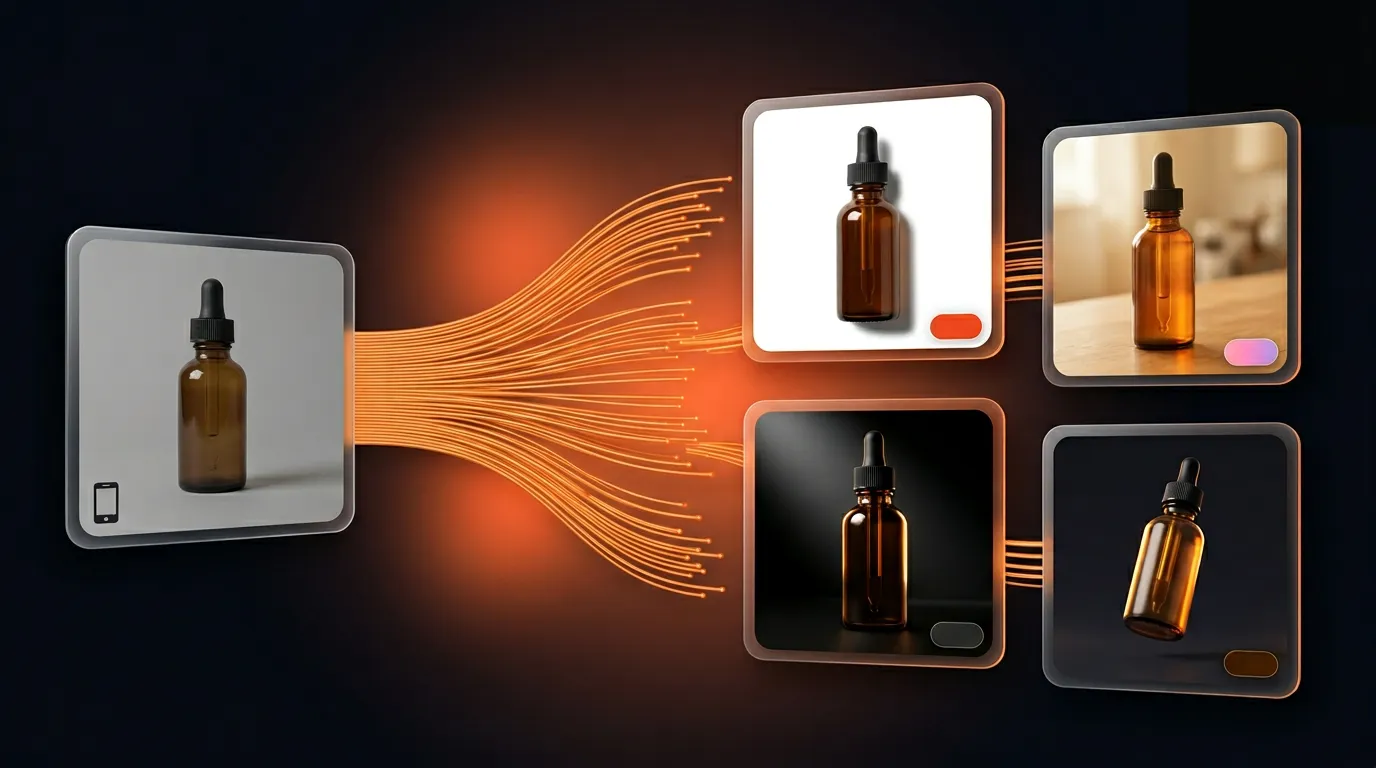
How to Use AI to Create Professional Product Photos — No Photographer, No Photoshop
Open a competitor's store. See perfectly lit, clean, professional product images. Look back at your own listings — and feel the gap.
Thousands of Thai sellers are already using AI to create product photos. Not large brands with design teams — solo online sellers who upload one product photo and get platform-ready images in under a minute.
This article explains how it works, which styles suit which platforms, and why it costs significantly less than traditional product photography.
Why the Old Approach No Longer Works
Shooting products yourself often means poor lighting, cluttered backgrounds, and images that look amateur. Hiring a photographer is expensive — one session costs ฿1,500–3,000 for 10–20 photos, then days of editing. By the time your next promotion runs, that batch is already outdated.
The real problem isn't budget. It's output volume vs. how often you need to post.
High-performing shops don't take better photos — they have more images to use. They post more frequently, test more creative styles, and don't wait for a photographer every time they want a new visual. If your product images are stuck in a shoot–wait–edit–reuse cycle, you're losing posting frequency to a fixable logistics problem.
How AI Product Photography Works — The Real Steps
The process is straightforward:
Step 1 — Upload one product photo A standard phone shot works. No white background needed. No background removal required. The AI isolates your product automatically.
Step 2 — Choose a style Over 500 styles are available, including:
- Commercial — clean white background, ideal for Shopee and Lazada listings
- Lifestyle — product in use context, ideal for Instagram and Facebook
- Studio — beautiful lighting, texture-focused, ideal for premium products
- Luxury — deep tones, rich depth, ideal for beauty and accessories
Step 3 — Receive ready-to-post images The system automatically sizes images for every platform — 4:5 for feed posts, 9:16 for Reels and TikTok, 1:1 for marketplace thumbnails. No manual cropping needed.
All three steps take under one minute.
Match Your Style to Where Your Customers Are
The same style repeated daily makes a store look stale. What works on Shopee doesn't work on TikTok. Marketplace buyers want to see the product clearly on a white background. Instagram audiences respond to lifestyle context or aesthetic framing.
Having multiple styles from a single photo lets you:
- Post continuously without visual repetition
- Test which creative style drives more engagement
- Serve each platform without reshooting
Sellers who test multiple styles typically find 1–2 styles that convert significantly better than the rest — but you only discover this by trying.
Do It in Under 1 Minute with GenLabs
GenLabs automates all three steps. Upload, choose a style, receive platform-ready images. No Photoshop knowledge needed. No background removal. No waiting.
Real numbers from Thai users:
- 11,000+ images generated
- 574+ active sellers and creators
- 4.9/5 average user rating
- Average time: under 1 minute per image set
Compare that to hiring a photographer — ฿1,500–3,000 per session for 10–20 photos with days of editing. GenLabs starts at ฿99 for 10 credits, no expiry date. No monthly subscription. No commitment. Try it on your actual product first.
Do you really need to wait a week, spend ฿3,000, and receive just 15 photos?
Create your first product image — Starter ฿99, credits never expire