Make food and drink photos with AI from a phone photo
Take a photo of your dish or drink with your phone, upload it to GenLabs and pick a direction. Each set of menu images, drink ad images or promotion images is ready to post in 2 minutes. You do not write prompts. GenLabs writes them. Plans start at ฿599 a month, and 700+ Thai businesses have paid for GenLabs.
What can a restaurant or drink shop do with GenLabs?
You can do 4 jobs. The table shows what you put in, what you get and where you use it.
| Job | What you put in | What you get | Where you use it |
|---|---|---|---|
| Menu and food product images | A phone photo of a dish or a pack | New images of the dish or product, up to 4 per run | Posts, your page and your menu page |
| Menu images for a delivery app | A well-shot photo of the real dish | The real dish photo, resized with the free image resizer to the size the app asks for | Download and upload it to the delivery app yourself |
| Drink ad images | A photo of a glass, bottle or can | Drink images in several styles, such as a cold-drink close-up and a can-opening shot | Posts and ad images |
| Promotion posts | A dish photo and what you want to tell customers | A vertical image with Thai text on it, and a caption AI helps write | Schedule to TikTok, Instagram and Facebook |
Food and food-product images: examples made with GenLabs
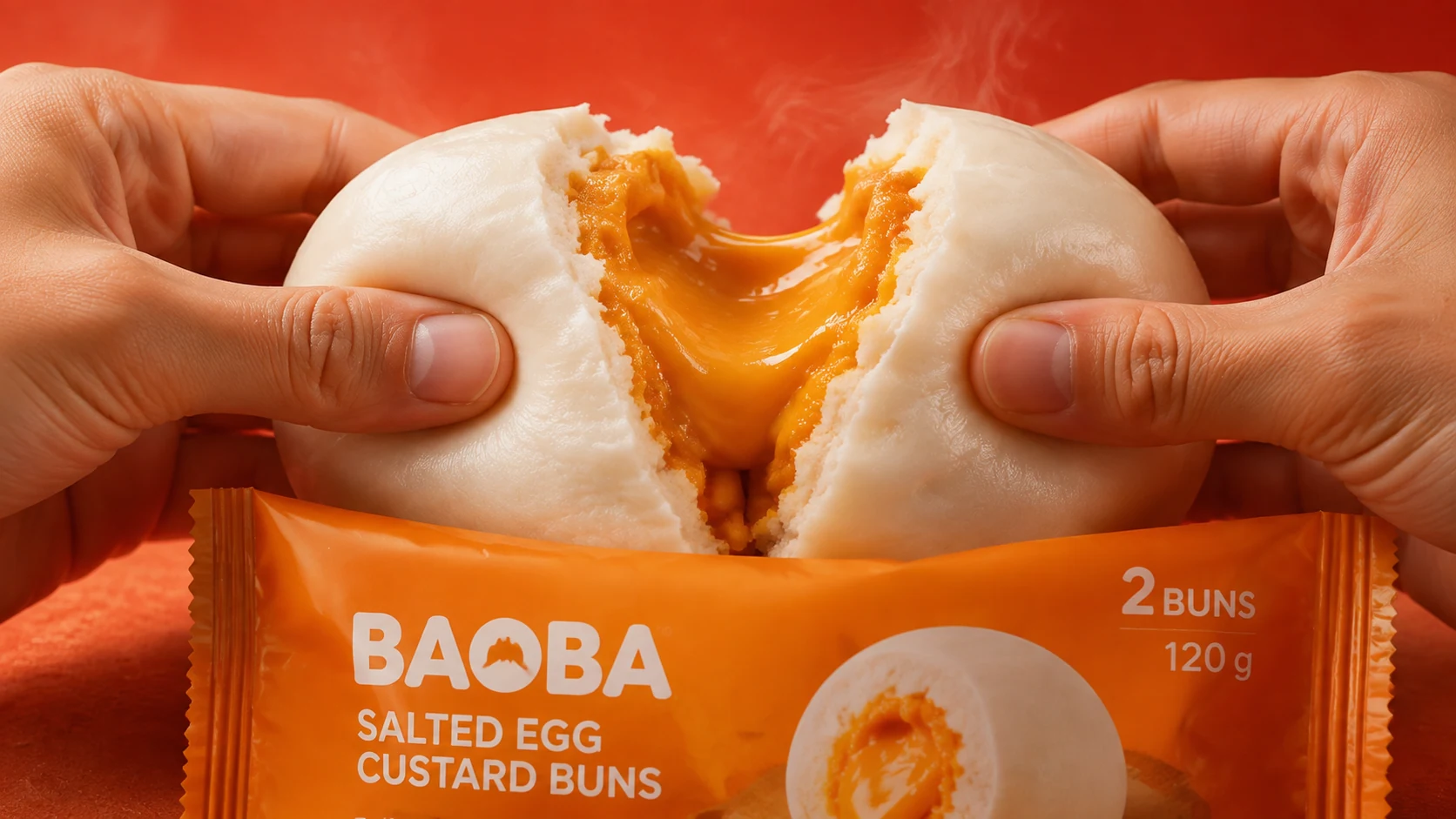
Here are 3 food images made with GenLabs. Each has one thing to stop the eye: hands tearing a bun open, a spoon lifting jelly, or chopsticks lifting noodles out of a cup.
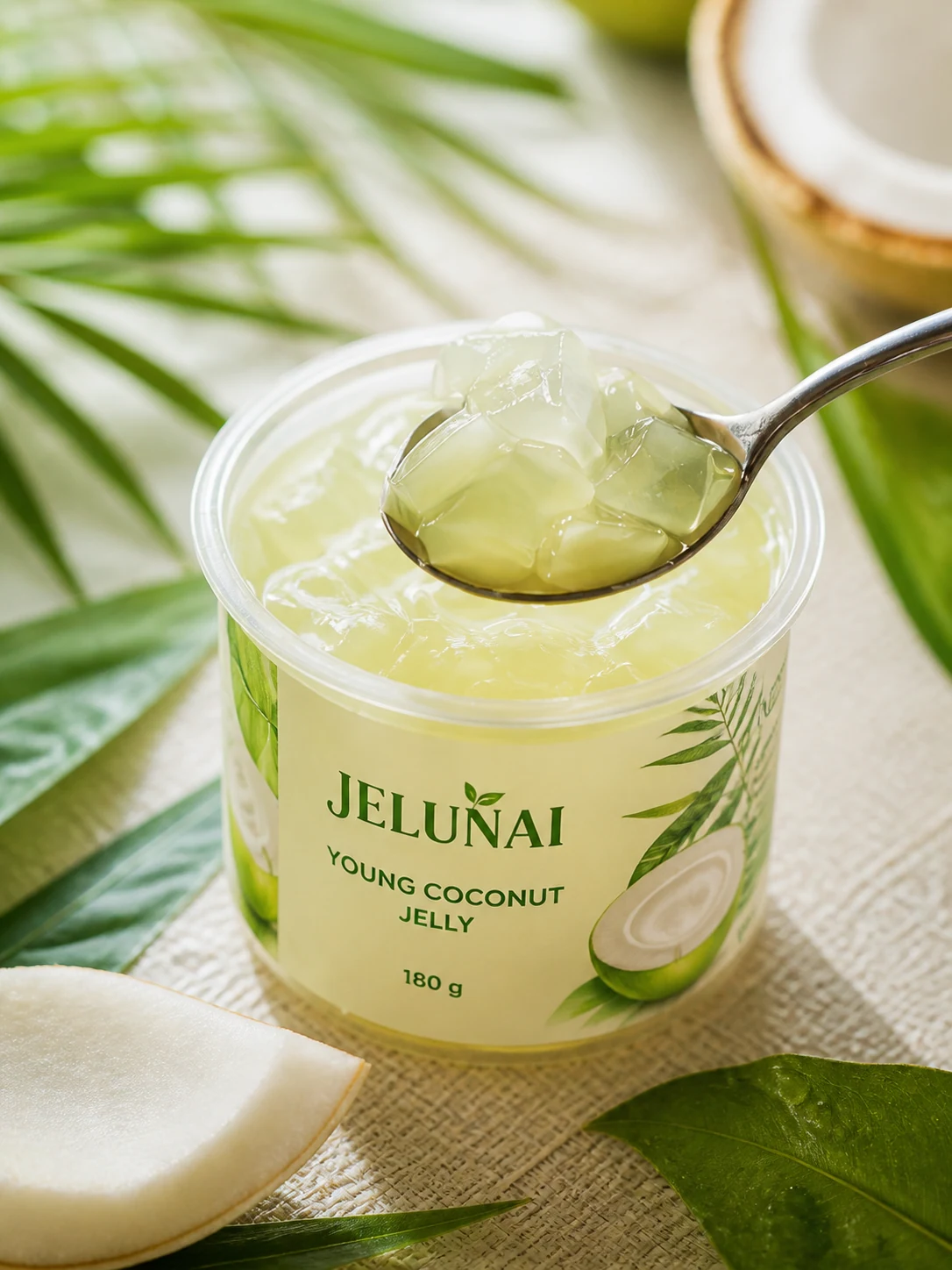
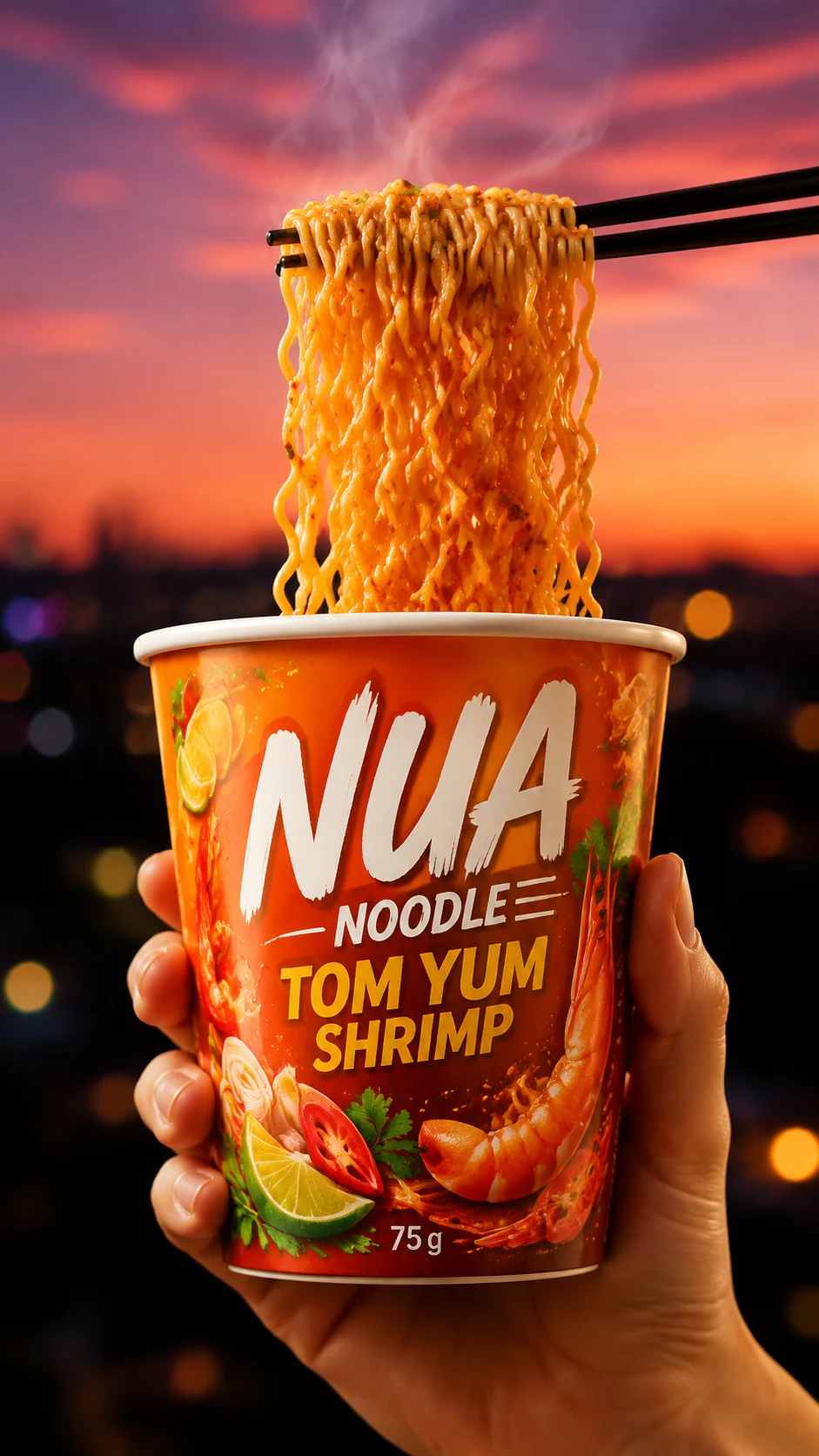
These examples are food in packs and cups. An example of a plated dish is in the promotion section below. The images on this page were made in GenLabs, not shot on a phone. Use them to see how a shot is set up and lit.
Menu images for a delivery app: use a photo of the real dish, then fit it
A menu image in a delivery app should show the dish the customer will really receive, clear, in the middle of the frame, on a plain background, and at the size the app asks for.
Wongnai for Business says, in its article on menu photos for the Wongnai Merchant App, to put the food in the middle of the frame so it covers about 80% of the picture, and to use a plain, clean background in a light colour or one that contrasts with the food. If the place you shoot is too colourful, lay a plain tablecloth as the backdrop, and keep the shadow of the camera or of yourself off the dish. The menu examples in that article show the menu item clearly, shot from above or from the side, sharp, and close so the item stands out (article, 22 July 2021, read 29 September 2026).
Prepare a menu image for an app, step by step
Shoot the real dish as in the section "Shooting food so it looks good" below.
If the background is messy, reshoot on a plain tablecloth rather than removing the background afterwards: a menu image in an app should be the real dish as you shot it.
Resize to the size your app asks for with the image resizer. You can type the width and height yourself. It is free 10 times a day with no sign-up and takes JPG, PNG and WebP files up to 10 MB. Do not choose "Stretch exactly", which pulls the dish out of shape.
GenLabs does not upload to a delivery app for you. Download the file and upload it in the app yourself. Look up the size you need on your app's menu page, because each app sets its own and can change it.
Drink ad images: 3 styles made with GenLabs
The drink ad images in our examples come in 3 styles: a cold-drink close-up, a can-opening shot, and an image built on a big product name. Each has one drink as the hero.
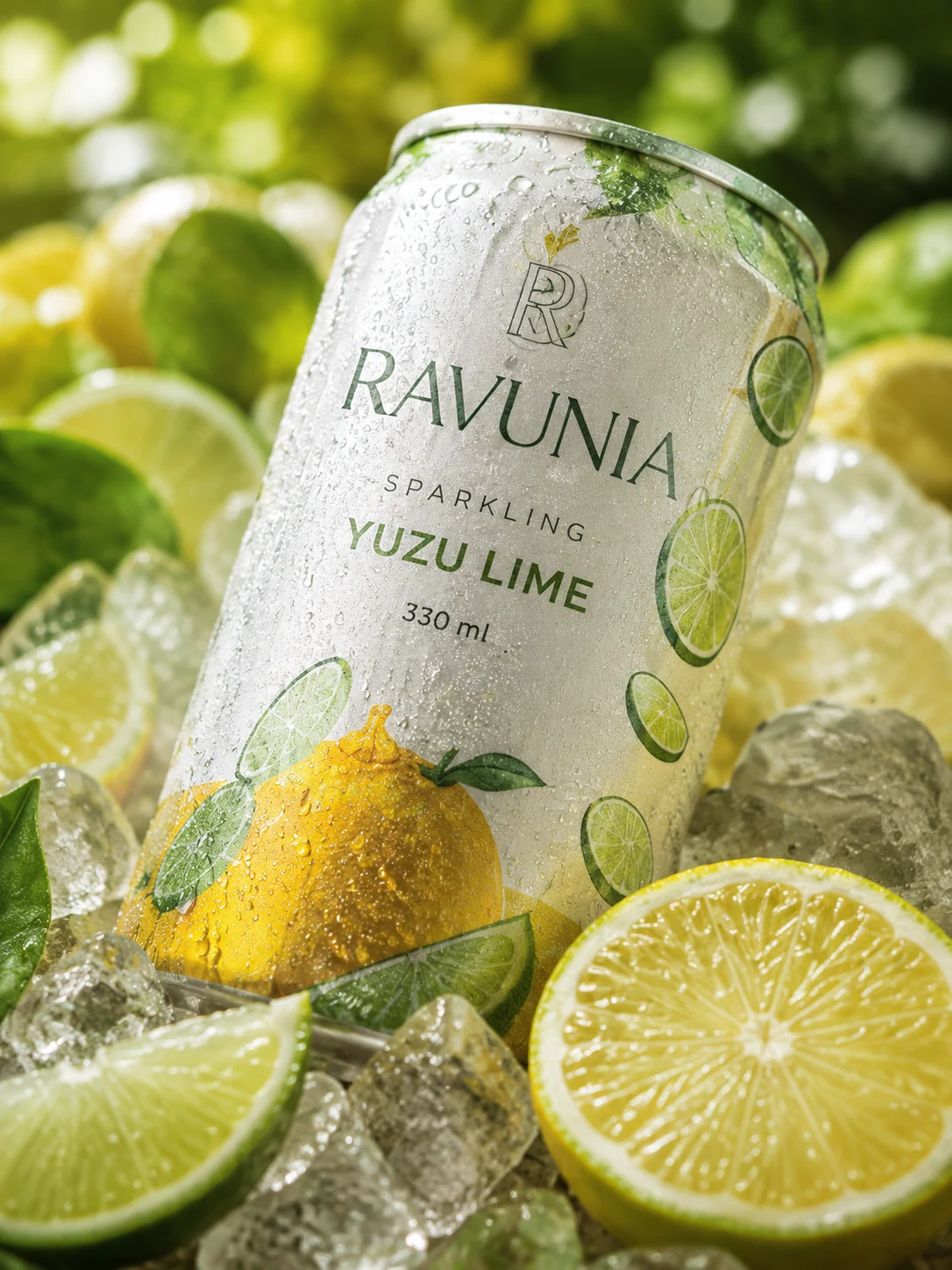
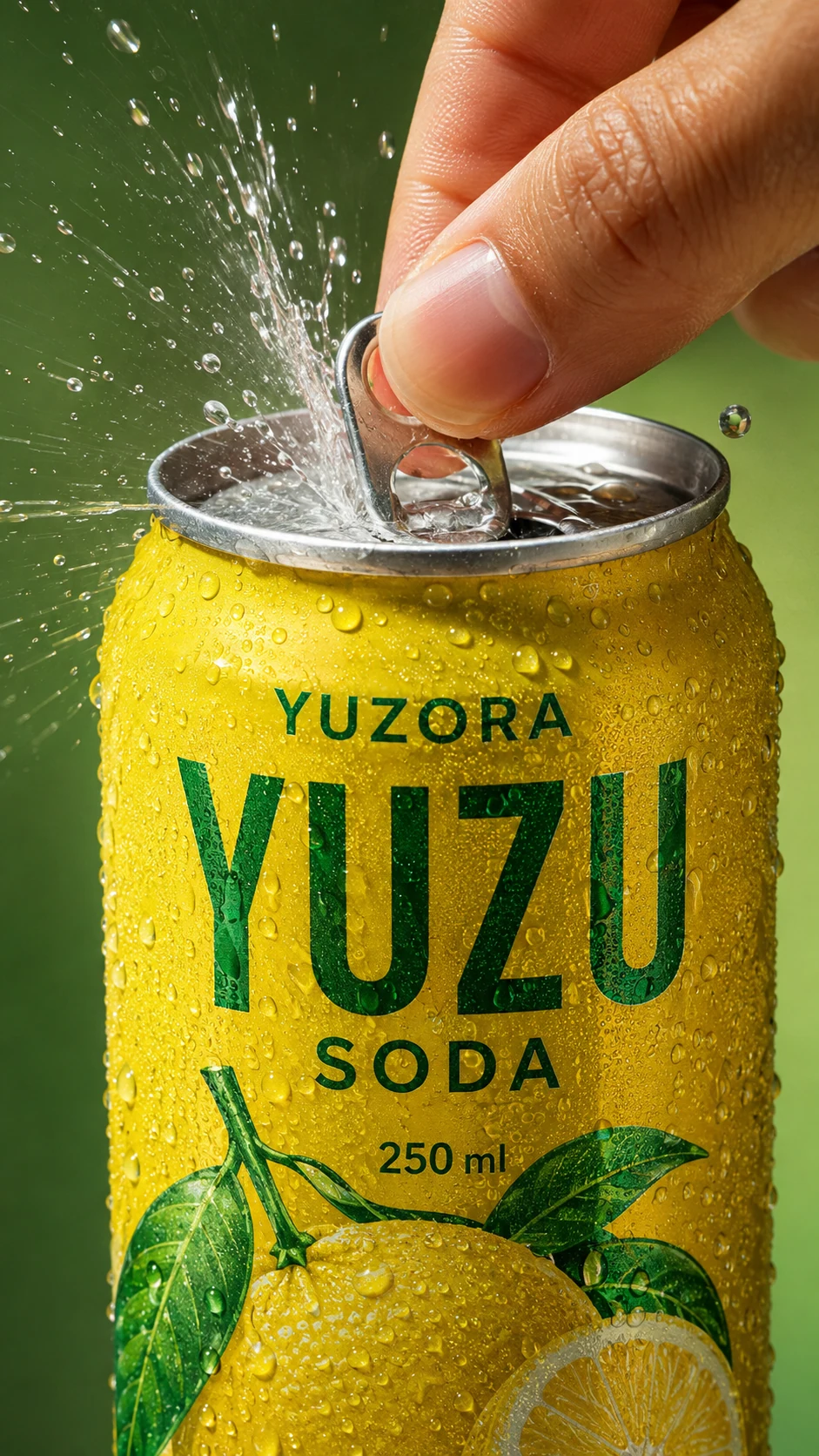
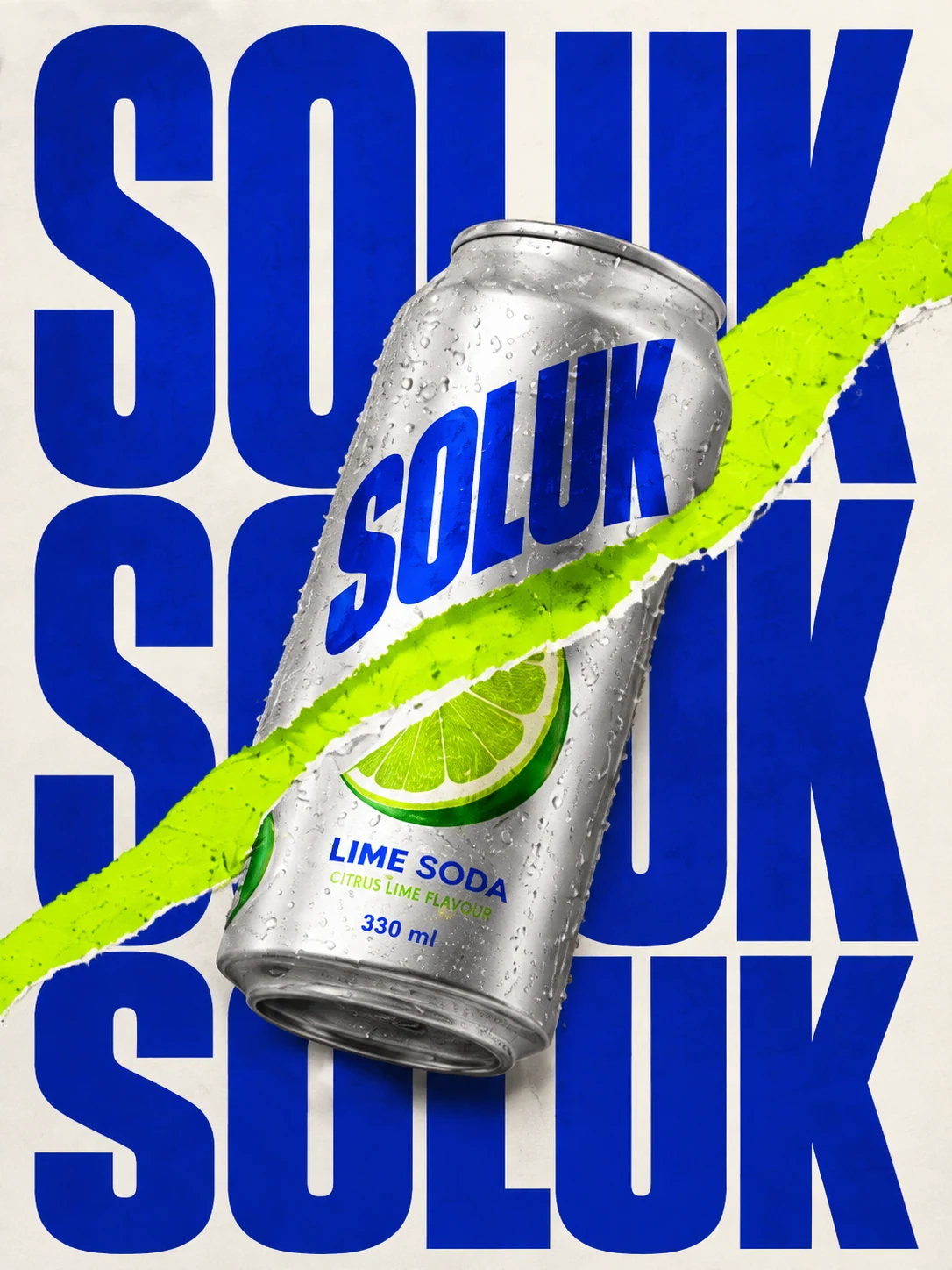
These examples are canned drinks. If you sell drinks in cups, such as iced tea or coffee, shoot your cup as in the section "Shooting food so it looks good" and pick a direction. The result depends on the photo you upload. The text on the example images is in English. If you want Thai text on the image, check every letter before you use it. For other kinds of ad image for products, see AI product ad images.
Restaurant promotion posts: a dish photo with Thai text on the image
A promotion post needs a dish photo that looks good, a short headline and a caption. Here is a basil pork and fried egg poster made with GenLabs.
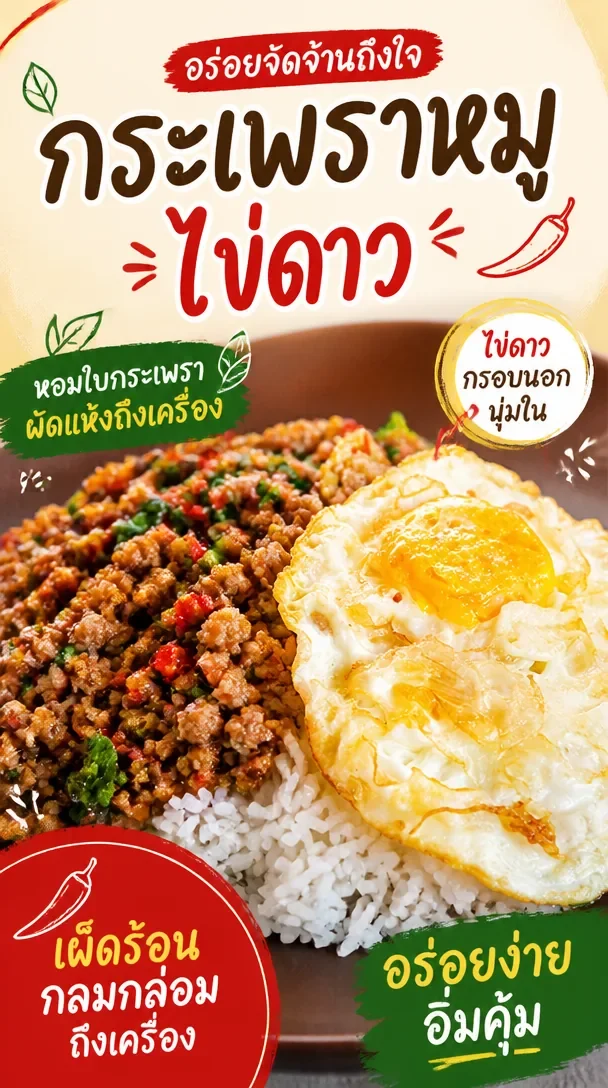
This poster spells the dish "กระเพรา", as many menus do; the correct spelling is "กะเพรา". Check every word of the Thai on an AI image before you post it.
Schedule the post to TikTok, Instagram and Facebook from GenLabs, with a caption AI helps write. Startup connects 1 social account, and Pro and Business connect unlimited accounts. To write the promotion words yourself, see write captions that sell.
Shooting food so it looks good: which camera angle and which light
Choose the camera angle by the kind of food, shoot near a window in daylight instead of under kitchen lights, and keep the dish in the middle of the frame on a plain background. The advice below comes from two Wongnai articles and from our own examples.
Camera angle by kind of food
| Camera angle | Suits (Wongnai for Business) |
|---|---|
| 90 degrees (from above) | Salad, pizza, soup, curry; not for food with a filling |
| 45 degrees | Made-to-order dishes, curry over rice, sushi, noodles, pasta, desserts |
| 0 degrees (eye level) | Burgers, sandwiches; shows all the ingredients |
- Wongnai for Business, "เทคนิคถ่ายรูปอาหารให้สวยสะดุดตา - วิธีเพิ่มรูปบน Wongnai Merchant App", 22 July 2021
- Wongnai, "6 เทคนิคถ่ายรูปด้วยมือถือโคตรง่าย เข้าใจได้ภายใน 6 นาที!", 2 July 2021
Both read 29 September 2026
Light and plating
- Put the plate near a window or shoot outside, in daylight instead of kitchen lights (Wongnai).
- If you can choose the time, shoot before 10 in the morning or from 3 in the afternoon; the light then gives the picture depth instead of looking flat (Wongnai).
- Keep the dish in the middle of the frame, covering about 80% of it, on a plain background in a light colour or one that contrasts with the food (Wongnai for Business).
- Watch that the shadow of the camera or of yourself does not fall on the dish (Wongnai for Business).
- Wipe the rim of the plate clean before you shoot (Wongnai).
- Hold the phone still before you press, so the picture is sharp, not shaky or blurred (Wongnai).
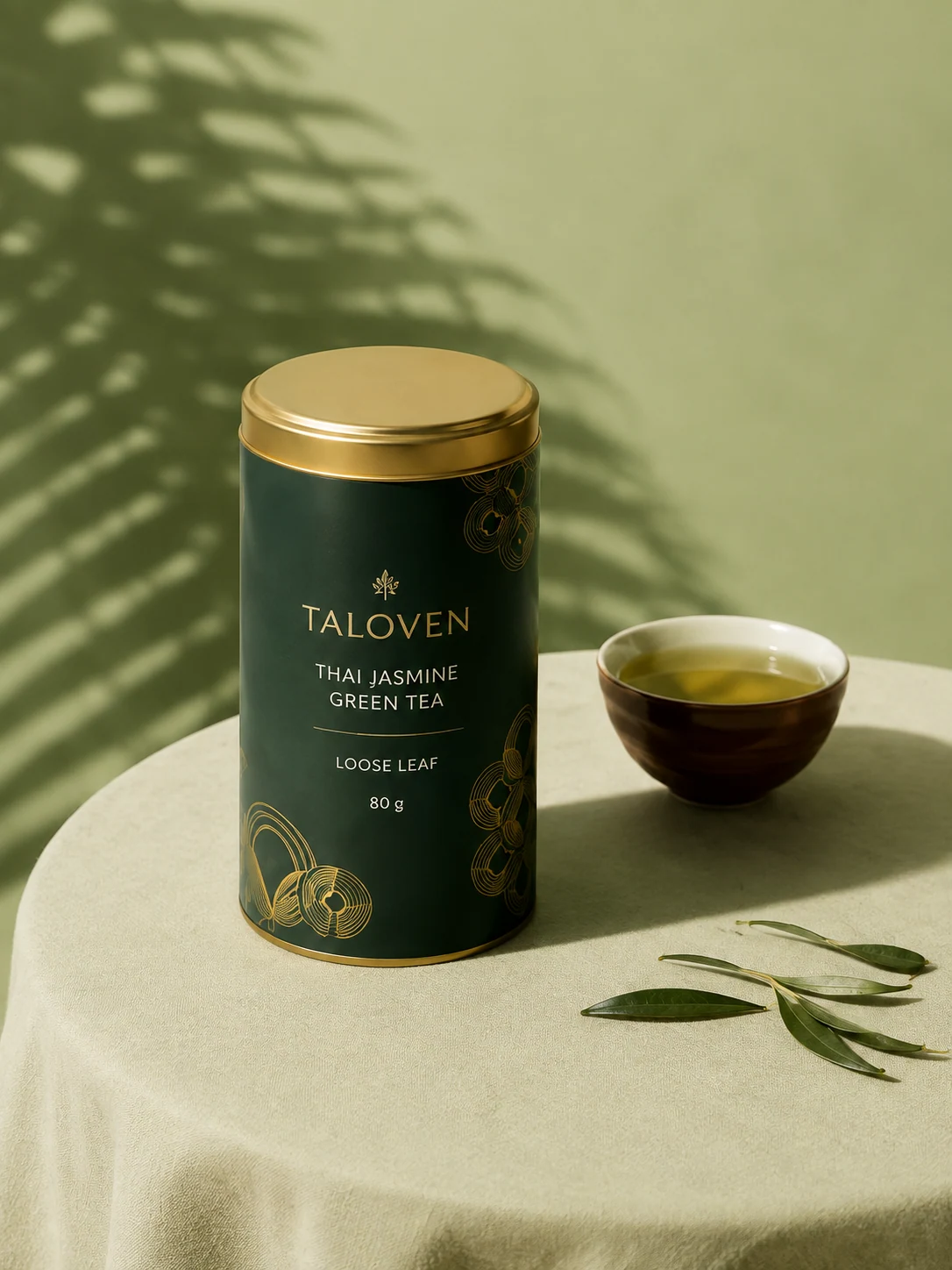
Our examples are images made in GenLabs, not phone photos, but you can read the set-up in them. The bun is at eye level (0 degrees) and torn open to show the filling, which matches what Wongnai for Business says about 0 degrees: you see all the ingredients. The jelly is shot from above eye level but not straight down. The tea image below takes its light from the side, with leaf shadows across the wall and the shadow of the tea bowl on the cloth.
For phone settings, focus and keeping the phone steady, see take product photos with a phone, a 7-point checklist
Make food and drink images in GenLabs, step by step
It takes 5 steps: upload the photo, pick a direction, press create, check it against the real dish, then download or schedule the post.
Upload the photo of the food or drink. A phone photo is fine.
Pick a direction and the channel you will use it for, such as a post or an ad image.
Press create. The images are ready in 2 minutes, up to 4 images per run.
Check the images against the real dish. Check the menu name, the text on the label and the Thai text on the image. Then edit, remove the background or resize for the channel.
Download, or schedule the post to TikTok, Instagram and Facebook with a caption AI helps write.
You do not write prompts. GenLabs writes them from your photo and the direction you pick. If you want to add your own touch, you can type it in. Keep your colours, logo and brand details in the Brand Kit so you do not have to say them again each time. A new dish goes on the menu today, you take the photo today, and you can post the image today.
For a short video from the same photo, see make a video from one product photo
What does it cost?
You use GenLabs on a monthly plan. Plans start with Startup at ฿599 a month. Pay by card with a monthly renewal, or by PromptPay, paid once for 30 days.
- Startup ฿599 a month (1 connected social account)
- Pro ฿1,990 a month (unlimited social accounts)
- Business ฿4,990 a month (unlimited social accounts)
- See all plans and prices
How many credits one image uses is in question 6 of the FAQ below.
What to know before you use it for food photos
The images you get must match the dish you really sell, and you should look at every image before you post it.
- Check the amount, toppings, colour and menu name against the real dish. An image may not get every detail right.
- An image staged to look very good, such as the running filling in the bun example or the high noodle lift in the noodle example above, is an ad picture, not what every plate the customer gets will look like. A menu image in a delivery app should be the dish you really send.
- Check the Thai text on the image letter by letter, including the menu name, the price and the promotion dates.
- The examples on this page are packed food and drinks and one plate of basil pork. The result for your menu depends on the photo you upload and the direction you pick.
- Plan credits do not carry over to the next period.
Frequently asked questions
How do I photograph food so it looks good?
Choose the camera angle by the kind of food, shoot near a window in daylight, and keep the dish in the middle of the frame on a plain background. Wongnai for Business recommends 45 degrees for made-to-order dishes, noodles and pasta, 90 degrees from above for pizza and salad, and 0 degrees for burgers and sandwiches so you see the ingredients inside (22 July 2021). A phone is enough: Wongnai advises wiping the rim of the plate and holding the phone still before you press. See the angle table in the section "Shooting food so it looks good" above.
How do I prepare food photos for a delivery app?
Shoot the real dish so the menu item is clear, in the middle of the frame and covering about 80% of it, on a plain background in a light colour or one that contrasts with the food, as Wongnai for Business advises. Then resize it to the size your app asks for. GenLabs has a free image resizer where you type the width and height yourself, free 10 times a day with no sign-up. Do not use the stretch option, which pulls the dish out of shape. GenLabs does not upload to a delivery app for you. Download the file and upload it yourself.
Will the AI images match my real food?
Not every time. The images are newly made from your photo, so the amount, toppings, colour and small details may not match the real dish. A staged image, such as a running filling or a high noodle lift, is an ad picture, not what every plate the customer gets will look like. Check every image against the real dish, and check the Thai text on it letter by letter, before you post it or put it in a delivery app. A menu image in an app should be the dish you really send.
How do I make drink ad images?
Upload a phone photo of the drink, pick a direction and press create. The images are ready in 2 minutes. Our examples come in 3 styles: a cold-drink close-up with ice and water drops, a can-opening shot with a spray of water, and an image led by a large product name. The examples are canned drinks. If you sell drinks in cups, the result depends on the photo of the cup you upload. Check the image against the real drink every time before you use it.
How do I promote a restaurant with images and posts?
Make one promotion post from one dish photo. In GenLabs you get a vertical image with Thai text on it and a caption AI helps write, and you schedule it to TikTok, Instagram and Facebook. The badges on our basil pork poster say what you see on the plate, such as "ไข่ดาว กรอบนอก นุ่มใน" (fried egg, crisp outside, soft inside). To write more captions that sell, see write captions that sell.
How many credits does one image use, and what does it cost?
One standard image uses 1 credit, and you can make up to 4 images per run. The Startup plan at ฿599 a month has 80 credits, which is 80 standard images if you use them on images only. Pro at ฿1,990 has 400 credits, and Business at ฿4,990 has 1,600 credits. Plan credits do not carry over to the next period. If you run out, you can buy a Boost, for example Quick Boost, 100 credits for ฿490, which never expires but needs an active plan. Every new signup gets a free trial with 10 credits.