Free AI image generator: type in Thai, no sign-up
An AI image generator makes a new picture from a description. Here you type in Thai, pick 1 of 5 styles, and get a 1024 × 1024 picture in about 15-20 seconds. It is free for 1 image a day, with no sign-up, and the free image has a small GenLabs.in.th mark at the bottom right. This tool draws a new picture from words and does not use your real product, so to get images with your own product in them, send a product photo to the GenLabs app.
Make an AI image in 3 steps
Type, pick a style, and press Create. It took 15 and 17 seconds in our two tests.
- Type what you want, up to 300 characters, in Thai, English or a mix.
- Pick 1 of the 5 styles in the table below.
- Press Create, then download a JPG file of 1024 × 1024 pixels.
| Style | The picture you get |
|---|---|
| Studio | Clean background, studio lighting |
| Lifestyle | The product in real life |
| Flat Lay | Seen from above, items laid out in layers |
| Dramatic | Dark light, film look |
Real examples: what a Thai and an English description give
Both gave a 1024 × 1024 picture with the things we typed, in 17 and 15 seconds. We ran them ourselves on 29 September 2026 on this page, with no account.
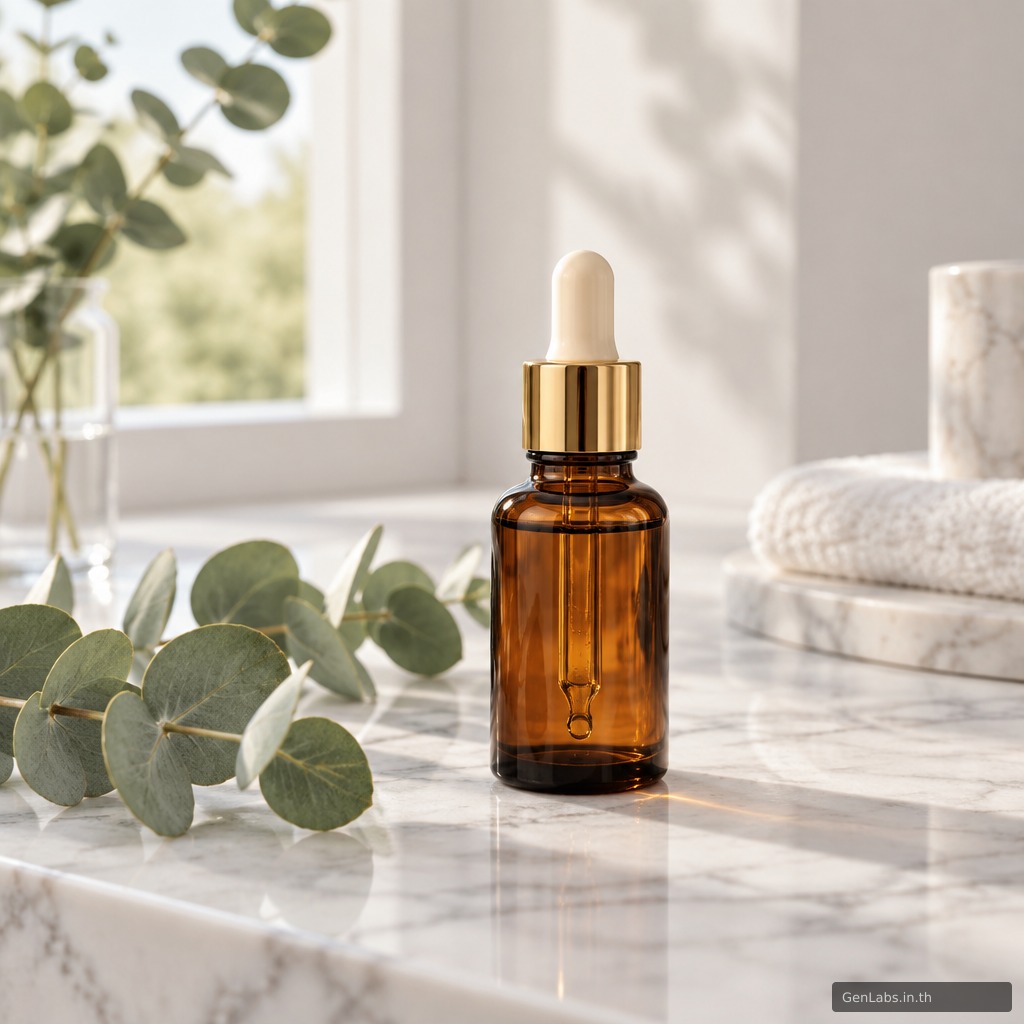
Example 1: a Thai description, Lifestyle style
"ขวดเซรั่มแก้วสีชา ฝาสีทอง วางบนโต๊ะหินอ่อนสีขาว มีใบยูคาลิปตัสวางข้างๆ แสงจากหน้าต่างนุ่มๆ" (an amber glass serum bottle with a gold cap on a white marble table, eucalyptus leaves beside it, soft window light)
The picture has an amber glass bottle with a gold collar and a cream dropper bulb, a white marble table, eucalyptus leaves and window light, all as typed. The cap is a cream bulb with a gold collar, not a fully gold cap. The bottle has no label, because the AI made the product up.
Example 2: an English description, Flat Lay style
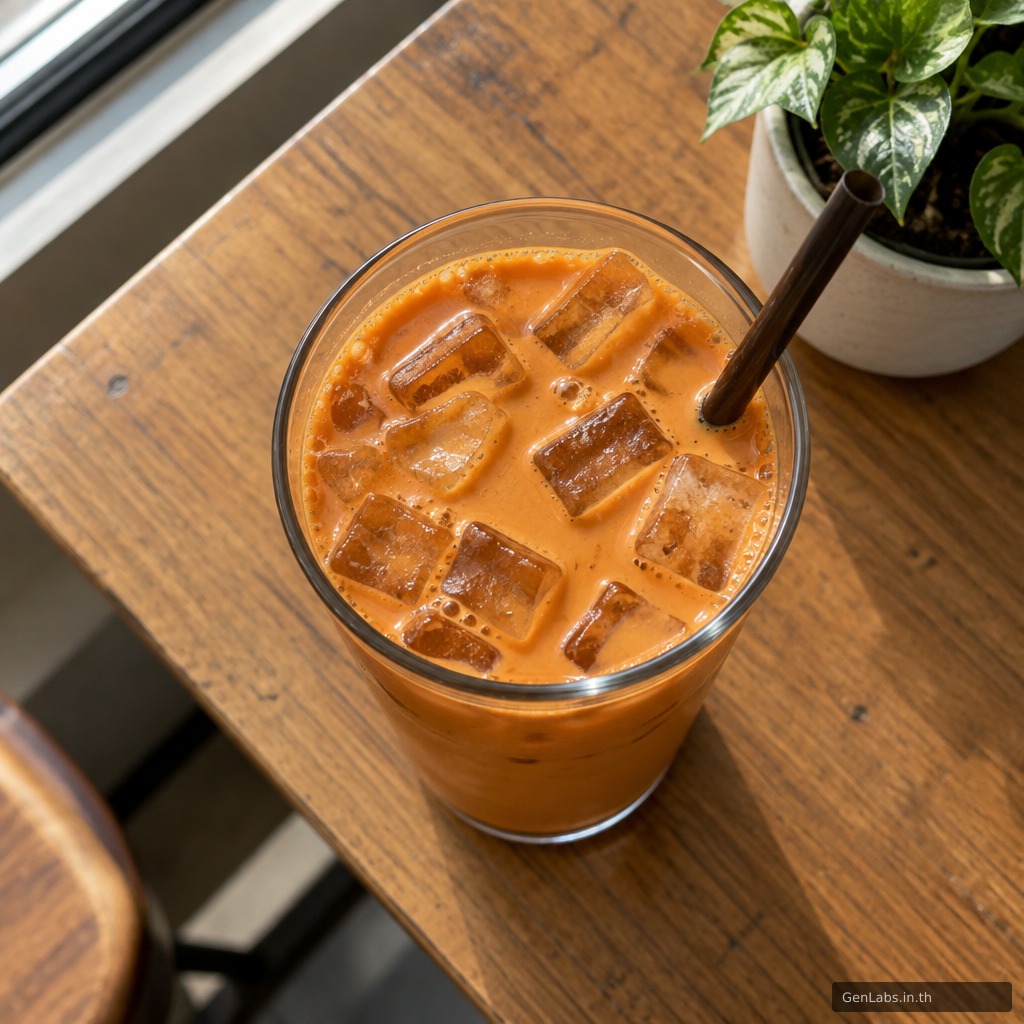
"iced Thai tea in a clear glass on a wooden cafe table, morning window light, top-down view"
The picture has a glass of iced Thai tea with ice and a dark straw on a wooden table, seen from above. A potted plant sits in the corner, and we did not ask for it.
Can I use the images to sell or to advertise?
Yes. Section 5 of the GenLabs Terms of Service says: "AI-generated images are licensed to you for commercial and personal use upon generation." (Terms of Service, last updated March 13, 2026, read on 29 September 2026: https://genlabs.in.th/en/terms). A free image from this tool carries a GenLabs.in.th mark at the bottom right. If you do not want the mark on your images, see the paid plans, which have no watermark.
How is a free AI image different from images of your real product in the app?
This free tool draws a new picture from a description, so the product in the picture is one the AI made up, not yours (the bottle in our example does not exist and has no label). The GenLabs app starts from your own product photo.
| This free tool | The GenLabs app | |
|---|---|---|
| Starts from | The description you type | A product photo from your phone |
| The product in the picture | A product the AI made up | Your product |
| Who writes the prompt | You write the description | GenLabs writes it, and you write no prompts |
| Good for | Pictures for posts, articles, emails, landing pages, and mood boards to try a direction before a shoot | Product images, ads and posts that show your product |
| Not for | Listing as your real product photo in a shop, because customers would see a product that is not yours |
How to write a Thai description that gets the picture you want
Say what you want to see, in this order: the product with its colour or material, where it sits, what is around it, and the light. Example 1 above named all four and the picture had all four. Example 2 named the product, where it sits, the light and the view (from above), and it came out that way.
- The product, colour, material: "ขวดเซรั่มแก้วสีชา ฝาสีทอง" (an amber glass serum bottle with a gold cap)
- Where it sits: "วางบนโต๊ะหินอ่อนสีขาว" (on a white marble table)
- What is around it: "มีใบยูคาลิปตัสวางข้างๆ" (eucalyptus leaves beside it)
- The light: "แสงจากหน้าต่างนุ่มๆ" (soft window light)
Pick the style that matches the picture in your head. If the picture is not right, change the description instead of making it longer and longer. Try again tomorrow, because the free tool gives 1 image a day.
Limits of this free tool
This tool only makes a new still picture from a description.
- Free for 1 image a day, no sign-up
- A JPG of 1024 × 1024 pixels, with a GenLabs.in.th mark at the bottom right
- A description of up to 300 characters
- You cannot upload your own product photo, and you cannot edit an existing picture
- The product in the picture is one the AI made up, not yours
- It does not make video
Want images that show your own product?
This free tool needs you to type the description, and the product in the picture is not yours. In the GenLabs app you send a product photo from your phone and pick a direction. GenLabs writes the prompts and makes the images: a set in 2 minutes, and you write no prompts yourself. Then you can schedule posts to TikTok, Instagram and Facebook from one place. The GenLabs site asks you to check Thai text and product details before you use any image.
Try it on your own product photo