A content calendar that works is a table where each row is one post that is ready to schedule. A row holds nine things. They are the date, time, platform and format. Then come the first line (the hook), the full caption and one next step (the call to action, CTA). Last are the status and a link to the photo or clip. The files below (.xlsx and .csv) have all nine columns. They hold 16 example posts over 4 weeks for a made-up snack and drink shop, and a second sheet with the weekly rhythm. A quick test before you call the table done: hand any row to someone else. If they can schedule the post without asking you a single question, the row passes.
Download the free content calendar template: .xlsx and .csv
Download it now, no signup:
- Download content-calendar-template.xlsx (17 KB, 3 sheets)
- Download content-calendar-template.csv (11 KB, the example sheet only)
The headers are in Thai and English side by side. Open the file in Excel, or upload it to Google Drive and open it with Google Sheets. The .csv keeps Thai text in UTF-8. If the letters look wrong when you open it, use the .xlsx file instead.
| Sheet in the .xlsx | What is in it |
|---|---|
| 1 Example (ตัวอย่าง) | 16 posts over 4 weeks (5 Oct - 1 Nov 2026) for a made-up snack and drink shop, every column filled except Link (for your own file link) and the caption of the 30 Oct idea row |
| 2 Weekly rhythm (จังหวะรายสัปดาห์) | 4 time slots that repeat every week, with the job of each post |
| 3 Yours (ของคุณ) | A blank table of 31 rows with the same headers and pick-lists for platform, format and status |
Hover over a header in the .xlsx file to see a short note on what goes in that column. The .csv has no notes.
The 9 columns of the content table: what to write in each
The table has 9 columns and each has one job. There is no broad column like "promotion" that leaves the reader to guess.
| Column | What to write | How to check |
|---|---|---|
| 1 Date (วันที่) | The day the post goes live, written year-month-day | Does it match a day in the weekly rhythm? |
| 2 Time (เวลา) | The scheduled time on a 24-hour clock, e.g. 12:00 | Are your followers online then? (See the weekly rhythm section.) |
| 3 Platform (แพลตฟอร์ม) | Facebook, Instagram, TikTok, or a pair that shares one caption | If the captions must differ, use two rows |
| 4 Format (รูปแบบ) | Photo, carousel, short video or text | Does the file for this format exist yet? |
| 5 First line (ประโยคแรก) | The first line of the caption | Read this column down the whole month. Do two rows start the same way? |
| 6 Caption (แคปชั่น) | The full text you paste when you schedule; it starts with the first line | Does it pass the swap test? (See sales captions.) |
| 7 Next step (ก้าวถัดไป) | What the buyer does next, one thing only: message you, comment CF, tap the link in the bio | How many kinds are used in the month, and does each row have just one? |
| 8 Status (สถานะ) | 1 Idea, 2 Caption written, 3 Media ready, 4 Scheduled, 5 Posted | Which rows stuck at 2 or 3 have the nearest post date? |
| 9 Link (ลิงก์) | A link to the photo or clip file, then to the live post once posted | Can someone else open it? |
CF is a comment a buyer types to confirm an order. Thai online shops use it a lot.
The hand-off test (ทดสอบส่งต่อ). Hand any row to someone who has never seen the sheet. If they can schedule the post without asking you, the row passes. A row like "Friday, promotion post" fails. They must ask which photo, what the caption says and what the buyer should do next.
Fill the whole month in 4 steps: start from the photos you already have
Start from the photos and clips you already have, not from topics. A row with no file never reaches status 3 (Media ready).
- Put in dates and times first. Open the "Weekly rhythm" sheet. Choose how many posts a week you can really keep up, every week. The example uses 4. If you can do 2, delete two slots.
- Attach a photo or clip to each row. Choose the format and paste the file link in the Link column. If you do not have enough photos, make them before you write captions. The right size for each channel is in product image sizes for each platform, 2026.
- Write a three-line caption. The scene follows from what the photo shows. The item is one fact about the product. The message is one next step. (The Scene-Item-Message formula is in sales captions that fit the photo). Then read the First line column down the whole month.
- Schedule one row at a time. As soon as you press schedule, change the status to 4. Change it to 5 when the post goes out. The table and the scheduler stay in step.
A 4-week content calendar example for a snack and drink shop (16 posts)
The example in the file is a made-up shop that sells five snacks and drinks online and takes orders in chat. Product facts (flavour, weight, size) come from what is printed on the pack in the picture. We leave out price, stock and delivery days because they are your shop's own. The 8 p.m. order cut-off is the made-up shop's too; use your shop's real time. The four rows below are the ones with a picture to look at.
Figure 1 · Mon 5 Oct 2026, 12:00 · Facebook + Instagram · Photo
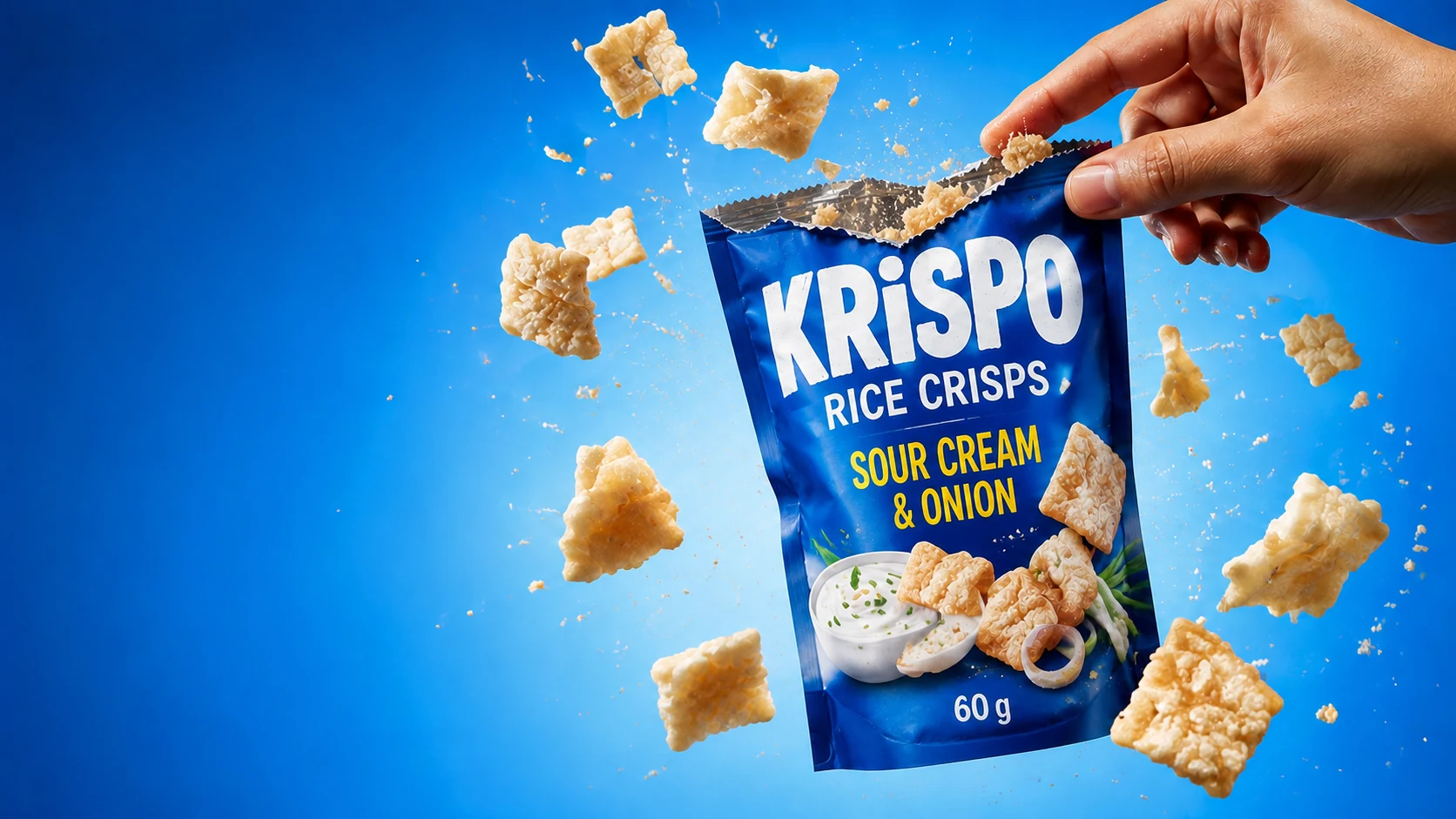
เปิดซองปุ๊บ เสียงกรุบดังทั้งห้อง
ข้าวอบกรอบรสซาวครีมหัวหอม ถุงละ 60 กรัม
ทักแชทมาบอกจำนวนถุงได้เลย
Gloss. First line: "Open the pack and the crunch fills the room." Item: "Rice crisps, sour cream and onion flavour, 60 g bag." Message: "Message us the number of bags." Next step: message with the number of bags · Status: 4 Scheduled Why the row passes the hand-off test: once the photo link is in, all 9 columns are filled. The facts (60 g, sour cream and onion) match the pack in the picture. There is one next step.
Figure 2 · Fri 9 Oct 2026, 17:00 · Facebook · Photo
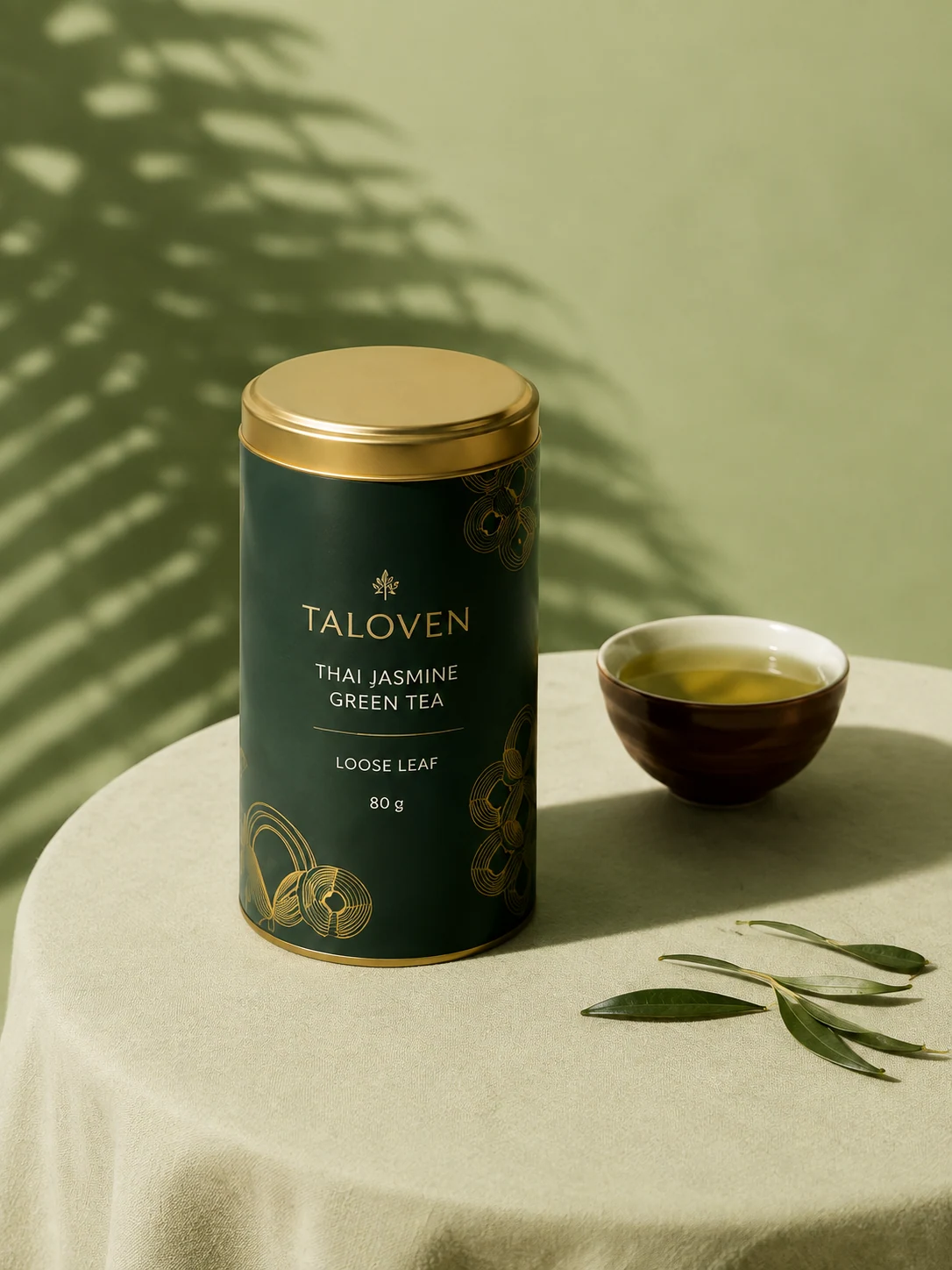
ศุกร์นี้ปิดรับออเดอร์สุดสัปดาห์ 20.00 น.
ชาเขียวมะลิไทย แบบใบชา กระป๋องละ 80 กรัม
คอมเมนต์ CF พร้อมจำนวนกระป๋องได้เลย
Gloss. First line: "This Friday, weekend orders close at 8 p.m." Item: "Thai jasmine green tea, loose leaf, 80 g tin." Message: "Comment CF with the number of tins." Next step: comment CF with the number · Status: 4 Scheduled Why it passes: the first line gives a clear closing time, so the buyer does not have to ask. There is only one way to order.
Figure 3 · Sun 11 Oct 2026, 10:00 · Instagram · Photo

ของหวานหลังมื้อเที่ยงวันอาทิตย์ ขอเย็นๆ ใสๆ
เยลลี่มะพร้าวอ่อน ถ้วยละ 180 กรัม เนื้อเยลลี่เป็นชิ้นใส
อยากลอง ทักมาได้เลยนะ
Gloss. First line: "Sunday dessert after lunch: cold and clear, please." Item: "Young coconut jelly, 180 g tub, clear pieces of jelly." Message: "Want to try? Message us." Next step: message us · Status: 4 Scheduled Why it passes: it is the Sunday slot of the weekly rhythm (soft sell). The caption is quiet like the picture, and "clear pieces" can be seen in the photo.
Figure 4 · Mon 19 Oct 2026, 12:00 · Facebook + Instagram · Photo

ร้อนจนไม่อยากลุกจากโต๊ะ ขอกระป๋องเย็นๆ สักกระป๋อง
โซดายูซุ กระป๋องละ 250 มล.
ทักแชทมาบอกจำนวนกระป๋องได้เลย
Gloss. First line: "Too hot to get up from the desk: a cold can, please, just one." Item: "Yuzu soda, 250 ml can." Message: "Message us the number of cans." Next step: message with the number of cans · Status: 2 Caption written Status 2 means the caption is written but not scheduled. This row is in week three, so there is no hurry. Check stock again before you schedule it.
All 16 posts of the example month (the statuses differ on purpose, to show how the table moves forward):
| Date | Platform | Format | First line (gloss) | Status |
|---|---|---|---|---|
| Mon 5 Oct | Facebook + Instagram | Photo | เปิดซองปุ๊บ เสียงกรุบดังทั้งห้อง (Open the pack and the crunch fills the room) | 4 Scheduled |
| Wed 7 Oct | Instagram + TikTok | Short video | แกร๊ก ซ่า ใครอยู่ใกล้ตู้เย็นยกมือหน่อย (Click, fizz: whoever is near the fridge, raise a hand) | 4 Scheduled |
| Fri 9 Oct | Photo | ศุกร์นี้ปิดรับออเดอร์สุดสัปดาห์ 20.00 น. (Friday: weekend orders close at 8 p.m.) | 4 Scheduled | |
| Sun 11 Oct | Photo | ของหวานหลังมื้อเที่ยงวันอาทิตย์ ขอเย็นๆ ใสๆ (Sunday dessert after lunch: cold and clear, please) | 4 Scheduled | |
| Mon 12 Oct | Facebook + Instagram | Carousel | ปัดดู 5 อย่างที่มีในร้านตอนนี้ (Swipe to see the 5 things in the shop right now) | 3 Media ready |
| Wed 14 Oct | Instagram + TikTok | Short video | แพ็กออเดอร์ให้ดูทีละชิ้น ก่อนปิดกล่อง (Packing an order piece by piece, before the box is closed) | 3 Media ready |
| Fri 16 Oct | Text | ลูกค้าถามบ่อยที่สุดสัปดาห์นี้ ถุงหนึ่งกี่กรัม (The question we got most this week: how many grams in a bag?) | 3 Media ready | |
| Sun 18 Oct | Photo | แช่ตู้เย็นไว้ตั้งแต่เมื่อคืน เช้านี้ก็มีของเย็นรออยู่ (In the fridge since last night, so a cold drink is waiting this morning) | 3 Media ready | |
| Mon 19 Oct | Facebook + Instagram | Photo | ร้อนจนไม่อยากลุกจากโต๊ะ ขอกระป๋องเย็นๆ สักกระป๋อง (Too hot to get up from the desk: a cold can, please, just one) | 2 Caption written |
| Wed 21 Oct | Instagram + TikTok | Short video | ชงชาให้ดูสดๆ ไม่ตัดต่อ ตั้งแต่เทน้ำจนถึงจิบแรก (Brewing tea live, no edits, from the pour to the first sip) | 2 Caption written |
| Fri 23 Oct | Photo | ศุกร์นี้เปิดรับออเดอร์ถึง 20.00 น. (This Friday orders are open until 8 p.m.) | 2 Caption written | |
| Sun 25 Oct | Carousel | จัดถาดของว่างวันอาทิตย์ ปัดดูว่าหยิบอะไรบ้าง (A Sunday snack tray: swipe to see what we picked) | 2 Caption written | |
| Mon 26 Oct | Facebook + Instagram | Photo | ปลายเดือนแล้ว วันทำงานยาวๆ ต้องมีของกินเล่นไว้ข้างโต๊ะ (End of the month, long workdays: keep a snack by the desk) | 2 Caption written |
| Wed 28 Oct | Instagram + TikTok | Short video | สั่งของร้านเรายังไง แค่ 3 ขั้นก็เสร็จ (How to order from our shop: just 3 steps) | 2 Caption written |
| Fri 30 Oct | Text | โปรปลายเดือนของร้าน [ใส่โปรของร้านคุณ] (End-of-month promo [put your shop's promo here]) | 1 Idea | |
| Sun 1 Nov | Photo | วันแรกของเดือนใหม่ ขอเริ่มด้วยชาสักถ้วย (First day of the new month: let's start with a cup of tea) | 2 Caption written |
The 30 Oct row is still an idea and its caption is empty on purpose, because the promotion terms must be your shop's own. The example sets no price or discount.
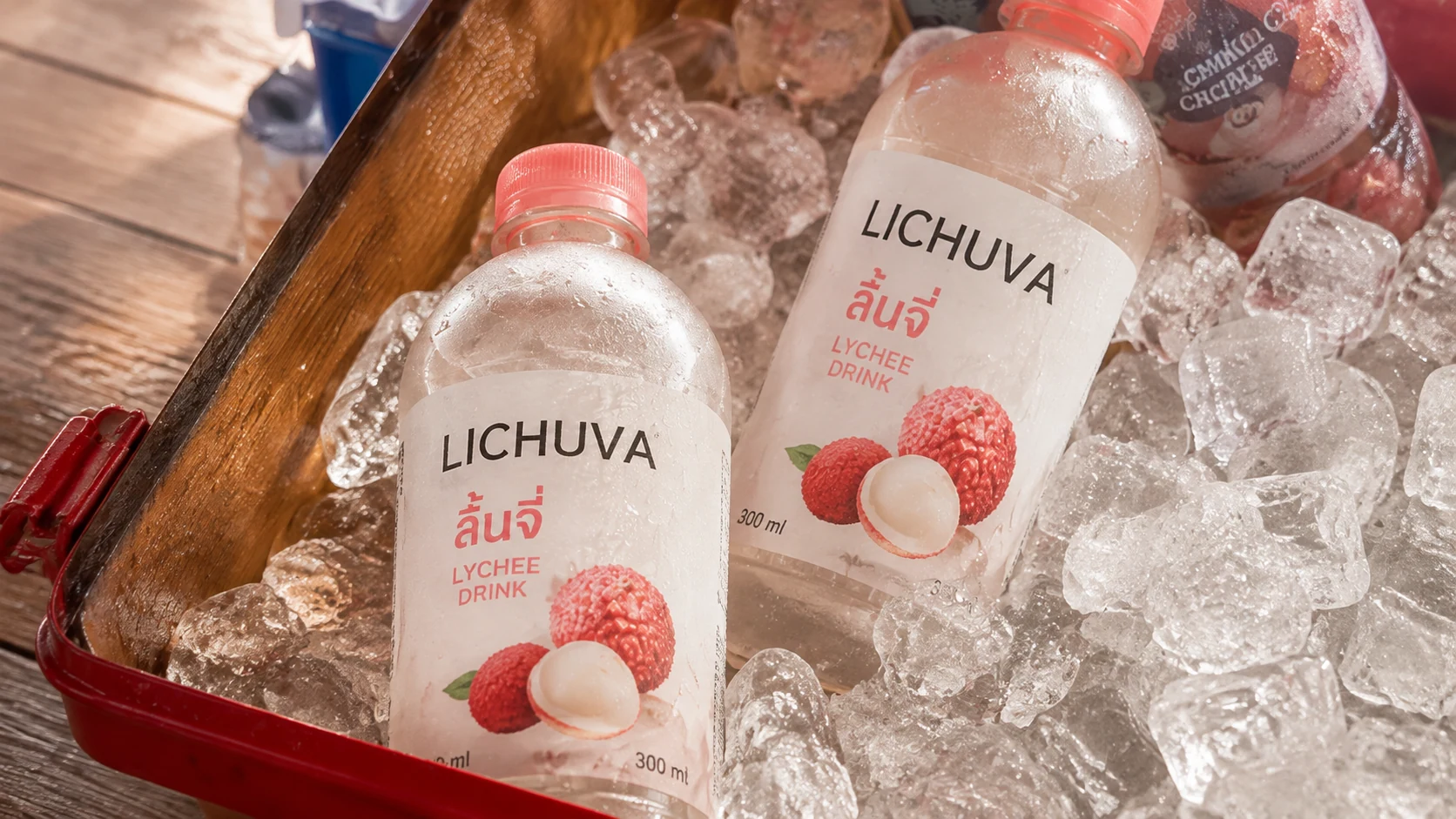
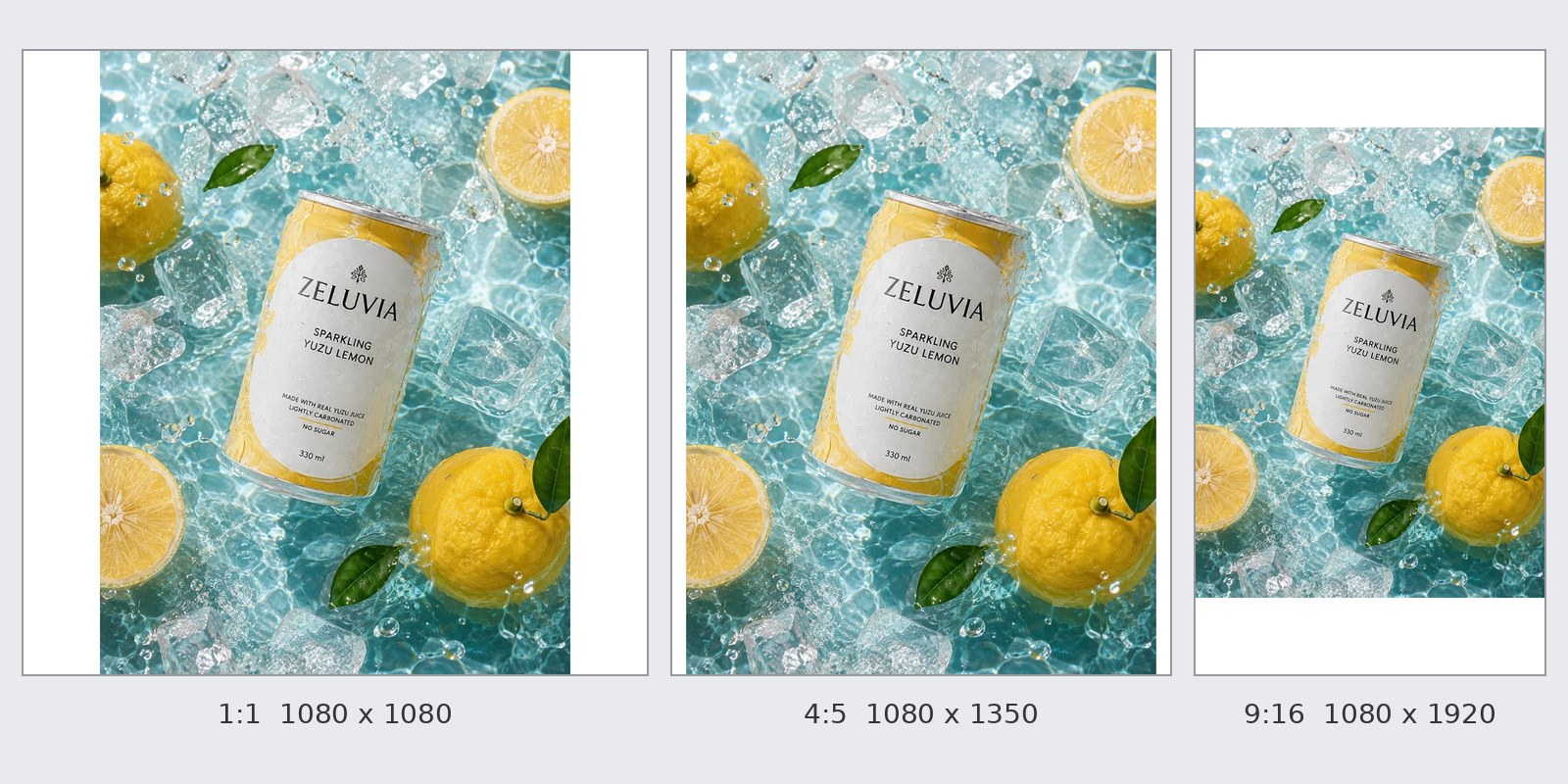
All 4 images were made with GenLabs for examples on the website. The brand names printed on the products in the images are invented, and none is a real client.
The weekly rhythm: the same 4 slots every week, instead of thinking again every day
A weekly rhythm gives each kind of post a slot that repeats every week. A month is then a matter of filling slots, and you do not invent a plan each time. Sheet 2 in the file has 4 slots:
| Day | Time | Platform | Format | Job of the post |
|---|---|---|---|---|
| Monday | 12:00 | Facebook + Instagram | Photo or carousel | A selling post: one product, three lines (scene, item, message) |
| Wednesday | 19:00 | Instagram + TikTok | Short video | Show the product in use, or being packed |
| Friday | 17:00 | Photo or text | Close weekend orders (CF or chat), or answer a question customers ask often | |
| Sunday | 10:00 | Photo or carousel | Soft sell: a quiet scene or a set, an invitation to message, no push |
The days and times are our own example. They are not a test result on which time is best, and we have not measured whether this rhythm brings more orders. Change the times to when your followers are online. In Meta Business Suite, the Active times button suggests times when your followers were most active on Facebook and Instagram over the past 7 days. (Meta's help page, read 30 Sep 2026.)
From the table to the post: schedule one row at a time
The table is where you plan and the scheduler is where the post really goes out. The two must agree. Use the Status column as the link: press schedule, then change the row to 4; when the post goes out, change it to 5.
You can schedule Facebook and Instagram posts in Meta Business Suite. Its Planner shows scheduled posts in a weekly or monthly view. On TikTok you schedule on the upload page of the TikTok website, on a computer. The step-by-step for both is in how to schedule Facebook, Instagram and TikTok posts.
Schedule from this table in GenLabs: Facebook, Instagram and TikTok in one place
The table ends at "schedule it", and scheduling to Facebook, Instagram and TikTok is something the GenLabs app does. In the app you can:
- Pick a photo or video from your Library, using the link in that row's Link column.
- Schedule the post for later, or post now, to TikTok, Instagram and Facebook for supported accounts.
- Let an AI draft the caption (the app calls it "คำบรรยาย AI" or "แคปชันจาก AI"). Then check it with the three lines of the Scene-Item-Message formula before you press schedule.
You connect your social accounts once. Social publishing is part of every plan. The Startup plan is ฿599 a month and connects 1 social account. The Pro and Business plans connect unlimited accounts. For other channels such as Shopee, Lazada and LINE you download the file and use it there; scheduling works for TikTok, Instagram and Facebook.
What a content table cannot do: limits to know
A table saves you from forgetting posts and from thinking again every day. It cannot do many other things:
- It cannot choose what you sell. The table holds decisions you have made. If you do not know what to say to the buyer, the row stays at status 1.
- We have not measured the examples in the file. The shop is made up and we wrote it ourselves. We did not test which rhythm or caption brings more orders, and we have no sales figure to quote.
- 4 posts a week is an example. Choose a number you can keep up. A packed table you cannot follow helps nobody.
- Price, stock and delivery days can change before the post date. A post scheduled in advance says what you wrote. Check the rows at status 2 and 3 again before you schedule them.
- The table is for regular posts. It is not an ad plan.
- The .csv has one sheet. The header notes, the weekly rhythm sheet and the blank sheet are only in the .xlsx file.
Frequently asked questions
What is a content plan?
A content plan is a table that says what to post, where, on which day and time, and what the buyer should do next. In this template each row is one post with all 9 columns filled, so someone else can schedule it for you without asking.
Are a content plan, a content table and a content calendar different?
In this file they are one table. The dates and times are the calendar; the text is the plan. Each row holds both, so you do not need two files. (Thai searchers use content plan, ตารางคอนเทนต์, แพลนคอนเทนต์ and ปฏิทินคอนเทนต์ for it.)
How many posts a week should I plan?
Choose a number you can keep up every week. The example file uses 4 a week. We have not measured which count brings the most orders. If you are new, delete slots until only what you can manage is left, then add more.
Can I use Google Sheets?
Yes. Upload the .xlsx file to Google Drive and open it with Google Sheets. The pick-lists for platform, format and status may look a little different from Excel. The .csv gives you only the example sheet.
How many weeks ahead should I plan?
The example plans 4 weeks at a time. The further ahead you plan, the more likely price, stock and delivery days change before the post date. Check the rows at status 2 and 3 again before you schedule them.
Where do I schedule the posts from this table?
Facebook and Instagram can be scheduled in Meta Business Suite. TikTok is scheduled on the upload page of the TikTok website, on a computer. In GenLabs you can schedule to all three from one place. The steps are in how to schedule Facebook, Instagram and TikTok posts.
You have the table. Schedule the posts to Facebook, Instagram and TikTok from GenLabs on any plan. 700+ Thai businesses have paid for GenLabs.
Free trial with 10 credits