Free tool · Image converter
Convert WebP to JPG for free
Pick a WebP, leave the JPG button on (it is the default), press "Convert", then press "Download". It is free, 5 times a day, with no sign-up.
In our test a 175 KB WebP gave a 186 KB JPG, a transparent background turned white, and an animated WebP gave its first frame only.
Output format
Drag a file here, or pick from Camera Roll (mobile)
Supports HEIC, JPG, PNG, WebP up to 10MB
How to convert WebP to JPG
- Pick the file: drag a WebP in or choose one up to 10 MB (on a phone, pick from the Camera Roll).
- Leave the JPG button on (it is the default).
- Press "Convert", then press "Download". The file is named converted.jpg.
What changes in the file when you convert WebP to JPG
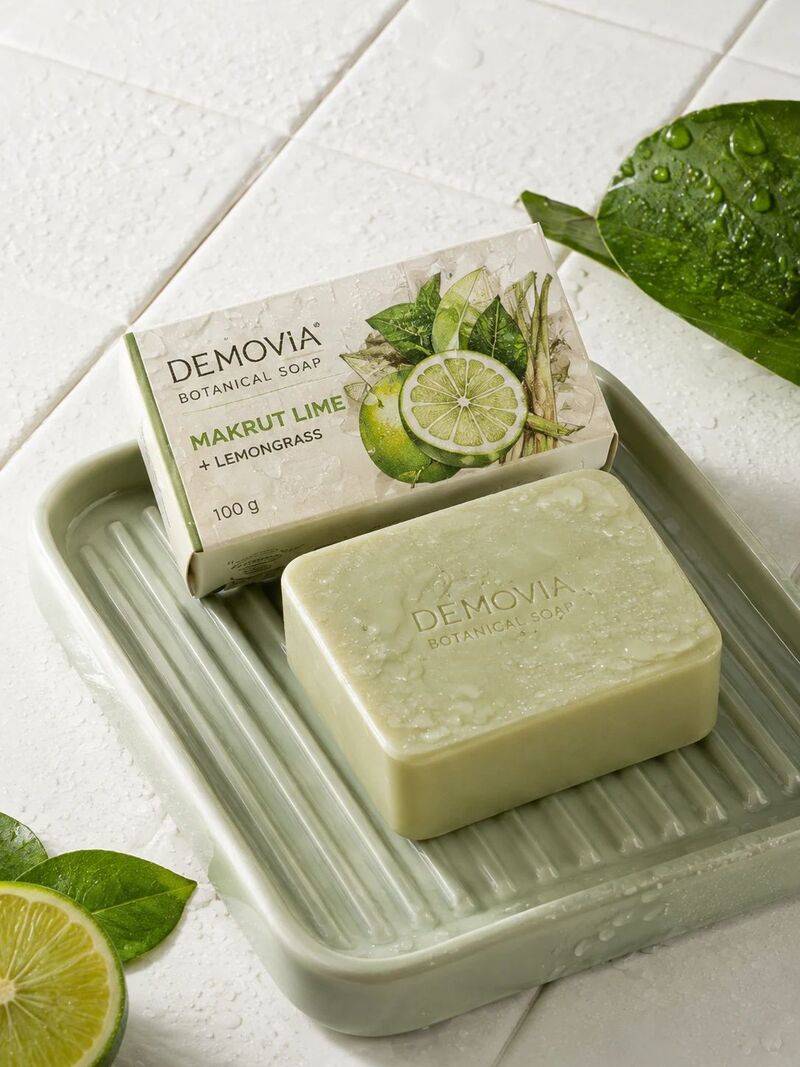
We converted three WebP files made from GenLabs pictures (tested 30 September 2026): a soap on tiles, a water bottle with its background removed, and the soap picture again as an animated WebP (3 frames).
| The WebP you put in | The JPG you get |
|---|---|
| Soap picture 175 KB | 186 KB (6.4% bigger), pixel size unchanged at 1086 × 1448 |
| Water bottle with background removed (transparent) 45.3 KB | 39.3 KB, white background |
| An animated WebP, 3 frames, 401 KB | 183 KB, one picture, the first frame |
- The JPG is a little bigger than the WebP: the 175 KB soap WebP gave a 186 KB JPG, because WebP usually compresses a picture into a smaller file than JPG does. But a JPG opens everywhere, and Shopee, Lazada and LINE state JPG and PNG and list no WebP (the sources are in the table on the image converter page: https://genlabs.in.th/en/tools/image-converter).
- A transparent background turns white: a JPG cannot be transparent. In the bottle picture all four corner pixels came out white (255, 255, 255). To keep the transparency, pick PNG instead. In our test the same bottle WebP gave a PNG where 82.8% of the pixels stayed transparent.
- An animated WebP gives one picture: the 3-frame file gave a JPG of its first frame only, not an animation.
- The JPG quality level is about 80 out of 100 and you cannot change it (we measured it from the file we got back). All three files came back in about 0.2 to 0.3 seconds.
What this tool does not do
- It does not make a GIF or a video from an animated WebP: you get one JPG picture.
- It does not choose a background colour: a transparent background always turns white.
- It does not take a file over 10 MB, a picture over 50 million pixels (width times height), or a picture with a side longer than 10,000 pixels: in our test a 4032 × 3024 WebP (12.2 million pixels, 445 KB) gave an 852 KB JPG, and an 8064 × 6048 WebP (48.8 million pixels) gave a full-size JPG. A refused file shows the message "This file is too large or can't be opened. Try a JPG, PNG, WebP or HEIC up to 10 MB." and does not use up one of your 5 free conversions.
- It converts one file at a time. The file is uploaded to GenLabs' server to be converted; it is not converted in your browser. GenLabs does not store the result; it goes straight to your browser.
Other conversions
You have your JPG. Next, make product images for your own shop.
For product images of your own shop, send a product photo from your phone to GenLabs and pick a direction. GenLabs writes the prompts and makes the images: a set in 2 minutes, and you write no prompts yourself. Then you can schedule posts to TikTok, Instagram and Facebook from the same place. See what GenLabs does: https://genlabs.in.th/en/product
Try it on your own product photoFrequently Asked Questions
Can an animated WebP be converted to JPG?
Yes, but you get one picture. In our test a WebP with 3 frames (401 KB) gave a JPG of the first frame only (183 KB), not an animation. This page does not make a GIF or a video.
What colour does a transparent WebP turn into when I convert it to JPG?
White. A JPG cannot be transparent. In our test a 45.3 KB WebP of a water bottle with its background removed gave a 39.3 KB JPG with a white background. To keep the transparency, pick PNG: the same WebP gave a 373 KB PNG where 82.8% of the pixels stayed transparent.
Why is the JPG bigger than the WebP, and should I convert?
WebP is the smaller file type. In our test a 175 KB WebP gave a 186 KB JPG, 6.4% bigger. Convert when the place you upload to does not take WebP: Shopee, Lazada and LINE state JPG and PNG and list no WebP (read on 29 September 2026; the sources are in the table on the image converter page: https://genlabs.in.th/en/tools/image-converter).
Can a big WebP I downloaded be converted, and how big can it be?
Yes. In our test a 4032 × 3024 WebP (12.2 million pixels, 445 KB) gave an 852 KB JPG, and an 8064 × 6048 WebP (48.8 million pixels, 490 KB) gave a 1.52 MB JPG, both at full size. The limits are files up to 10 MB, and pictures up to 50 million pixels (width times height) with no side longer than 10,000 pixels. Anything over that shows the message "This file is too large or can't be opened. Try a JPG, PNG, WebP or HEIC up to 10 MB." A refused file does not use up one of your 5 free conversions. Our program built the 8064 × 6048 file, a smooth picture; the file size of a real picture will differ.
More AI Tools You Might Like
Everything you need for your images