
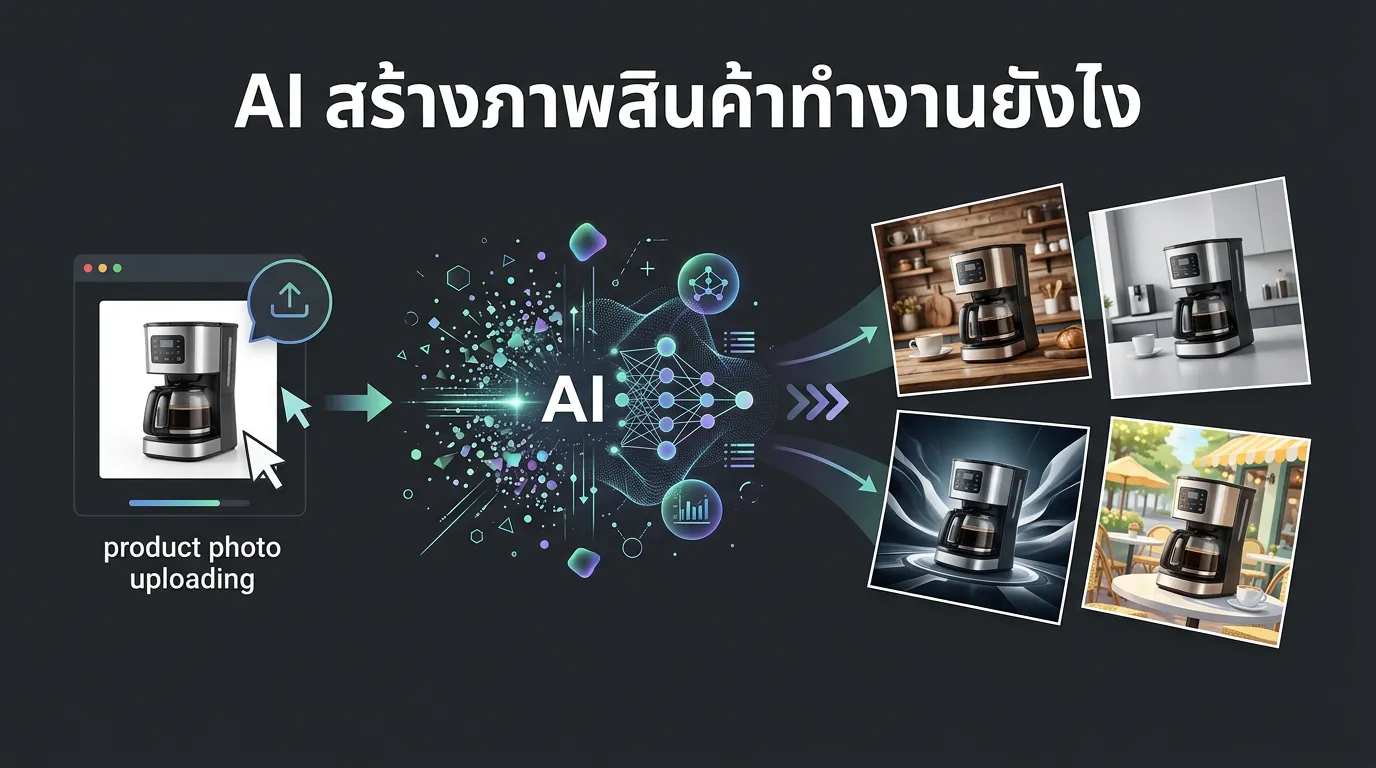
AI product image generation works in 4 steps: (1) upload a product photo, (2) AI automatically separates the product from its background using image segmentation, (3) generates new backgrounds and styles around the product, (4) auto-resizes for every platform. The entire process takes under 1 minute.
How Does AI Separate the Product from the Background?
AI uses image segmentation models trained to distinguish product objects from backgrounds. Unlike simple background removal, advanced segmentation preserves edges and details better.
How Does AI Create New Backgrounds and Styles?
Generative AI models create entirely new environments around your product. Available styles include commercial (clean white), lifestyle (product in context), luxury (dark moody premium), studio (soft light minimal), and 500+ more.
Do You Need to Write Prompts?
It depends on the tool. Some AI tools require English prompts. Others like GenLabs use a style-selection interface — no prompts needed at all.
How Does the Quality Compare to Real Photography?
For Shopee/Lazada thumbnails and social media posts, AI output matches studio photography quality. For hero campaign banners or lookbooks, real photography still has an edge.
FAQ
Does AI create images from scratch? No. AI uses your actual product photo as the base and creates new environments around it.
Is the product in the AI image accurate? Yes. AI preserves the real product and only changes the background and context.
Does it work with all product types? Yes — skincare, food, fashion, tech, home goods, and more.
How long does it take? GenLabs takes under 1 minute per image.